59Chapter 3 Making a Good Thing Better
Installing a Solid State Drive
YourMacProcanaccommodateuptofourinternal2.5-inchsolidstatedrivesinthe
drivebays.IfyourMacProcomeswithasingledriveinstalled,it’sintherstbay.You
caninstalldrivesinthesecond,third,andfourthdrivebays.
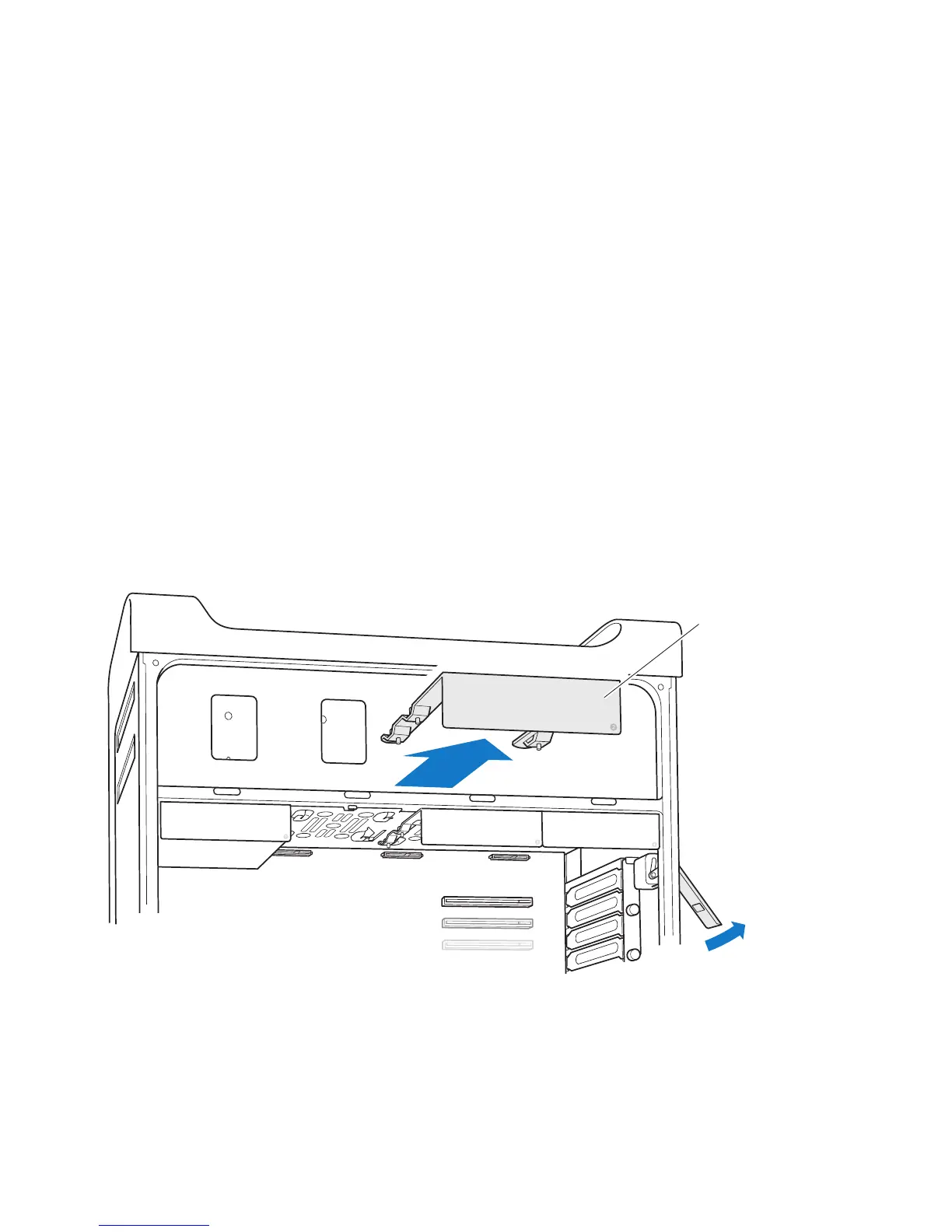
To install a solid state drive:
1 OpenyourMacProandremovethesidepanel,followingtheinstructionsin“Opening
YourMacPro”onpage33.
2 Liftthelatchtounlockthedrivecarriers.
Note: Whenthelatchisdown,thecarriersarelockedinthedrivebaysandcan’t
beremoved.
3 Pullthecarrieroutofthedrivebay.
Drive carrier



 To Next Page