MacBook (13-inch) Hard Drive 2
Unplug the power cord.
Warning: The power supply in your computer is a high-voltage component and should
not be opened for any reason, even when the computer is o. If the power supply needs
service, contact your Apple reseller or Apple Authorized Service Provider.
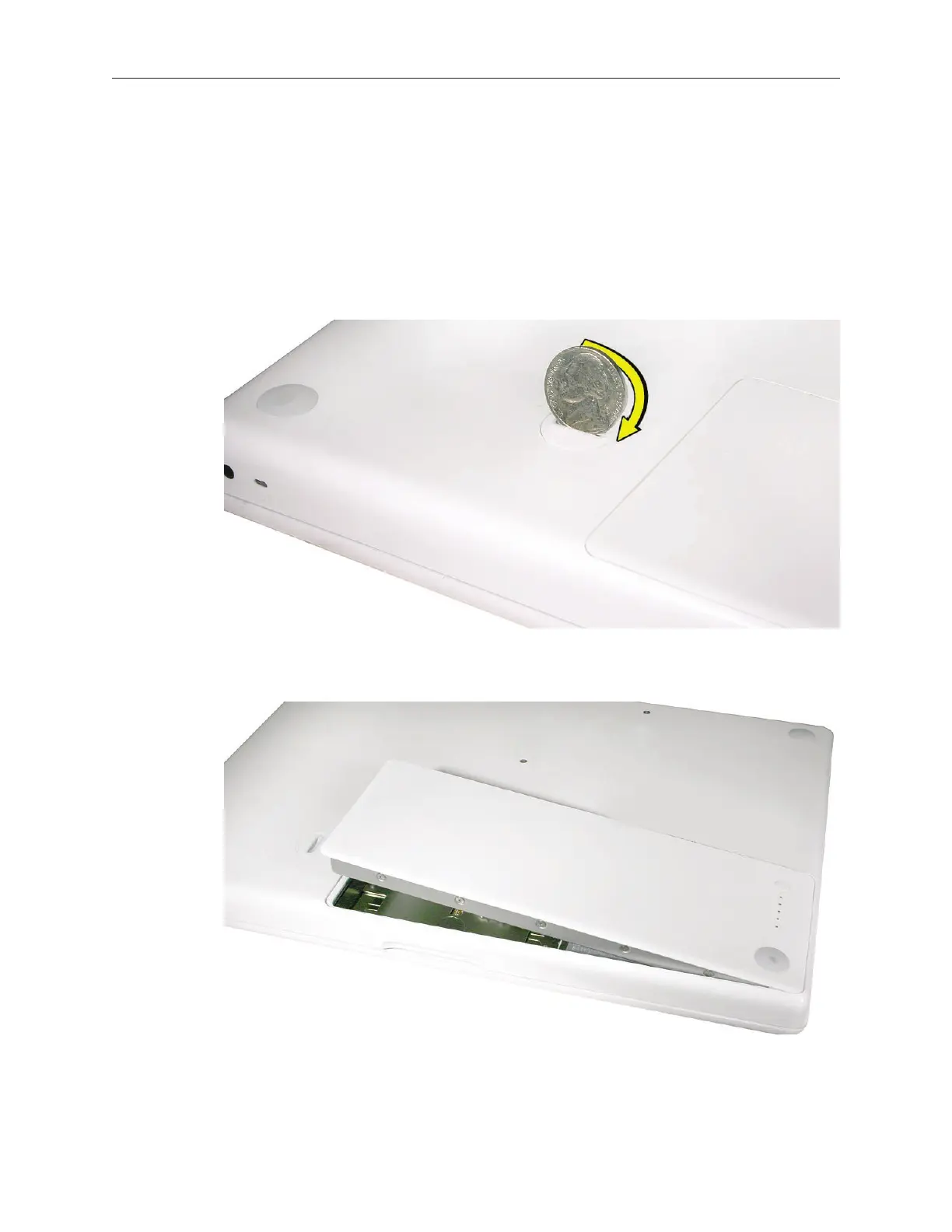
Turn over the computer and place it on a soft cloth.
Use a coin to release the battery latch. Turn the coin a quarter turn clockwise to unlock the
battery.
Lift out the battery from the battery bay.
4.
5.
6.
7.



 To Next Page