MacBook (13-inch) Hard Drive 4
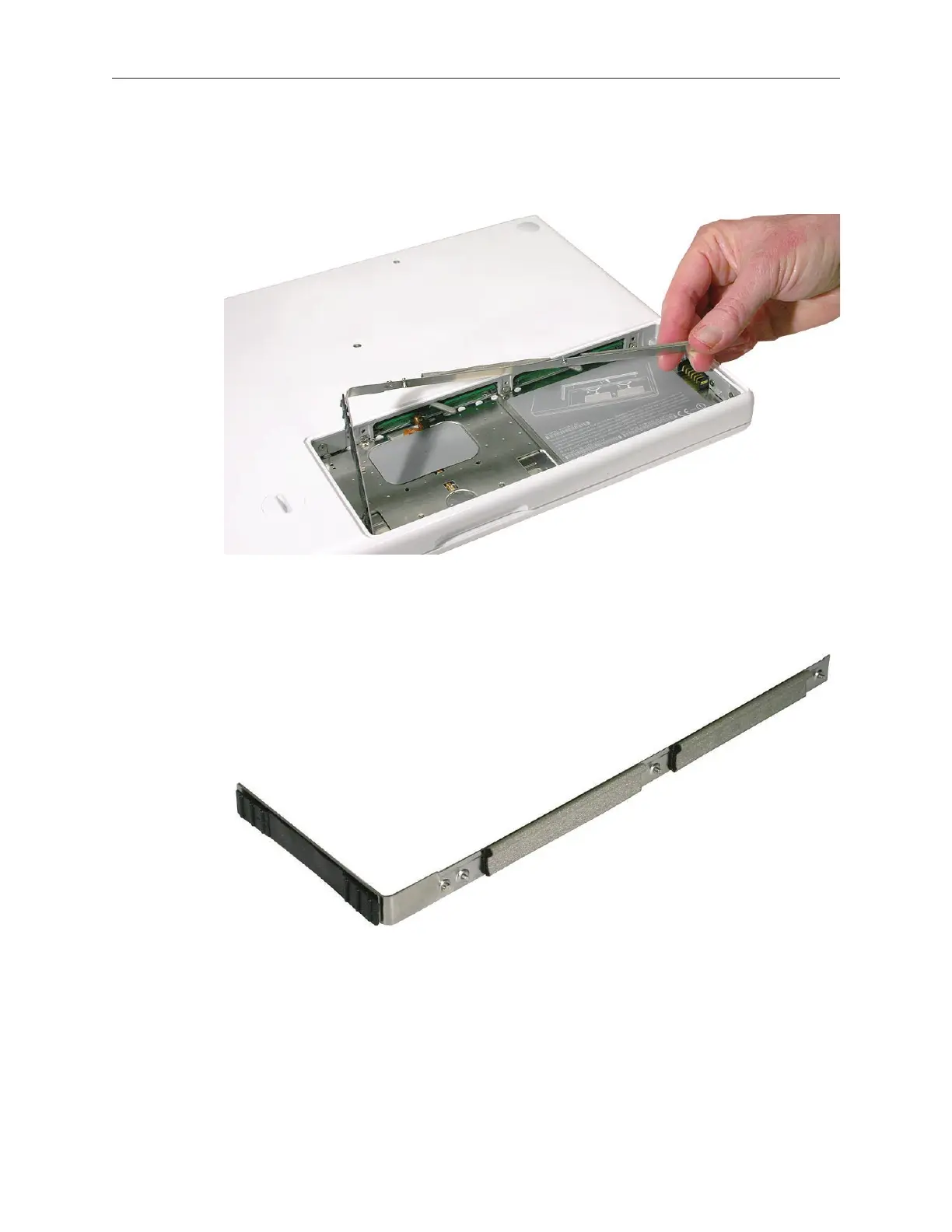
Holding the long end of the L-shaped RAM door, pivot it out from the battery bay. If
necessary, use a nonmagnetic, plastic card (such as a library card) to tilt the RAM door up
and out of the battery bay. Be careful not to bend the RAM door.
Important: Remember to replace the RAM door after you have nished working inside
your computer. The computer will not function properly if the RAM door is not replaced.
2.
3.



 To Next Page