MacBook (13-inch) Take Apart — Display Bezel 156
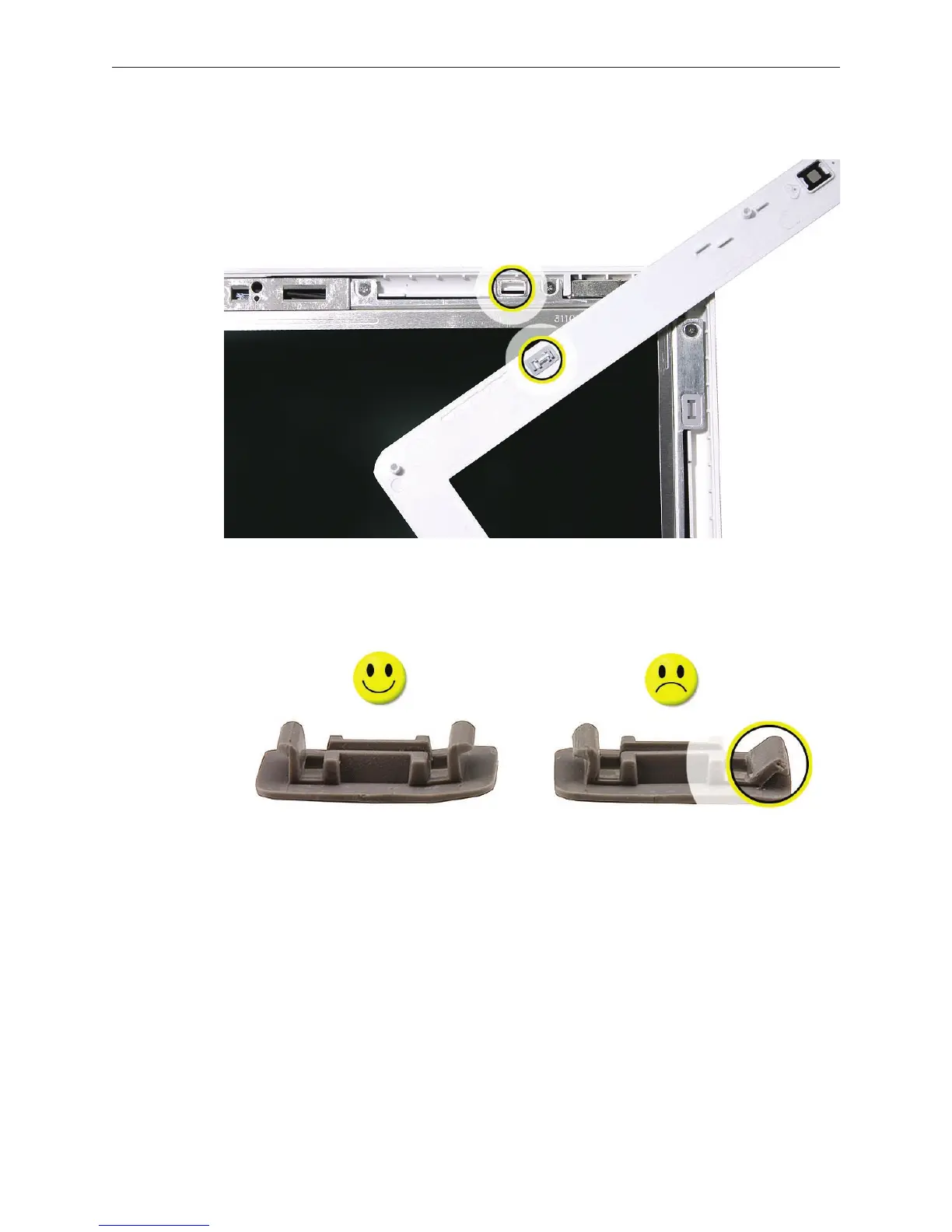
Return any clips back into the bezel brace.
If any of the mounting clips are dicult to install, check that they are structurally sound. You
can order a kit of replacement clips if necessary.
Install the replacement bezel (rst see notes in the Replacement Procedure), and reassemble
and test the computer.
5.
6.
7.


 To Next Page
 Loading...

