MacBook (13-inch) Take Apart — Bezel Mounting Clips 162
Make sure no plastic remnants are left in the bezel brace opening from an old clip. If any
small pieces remain, remove them with a needlenose pliers.
Replacement Procedure
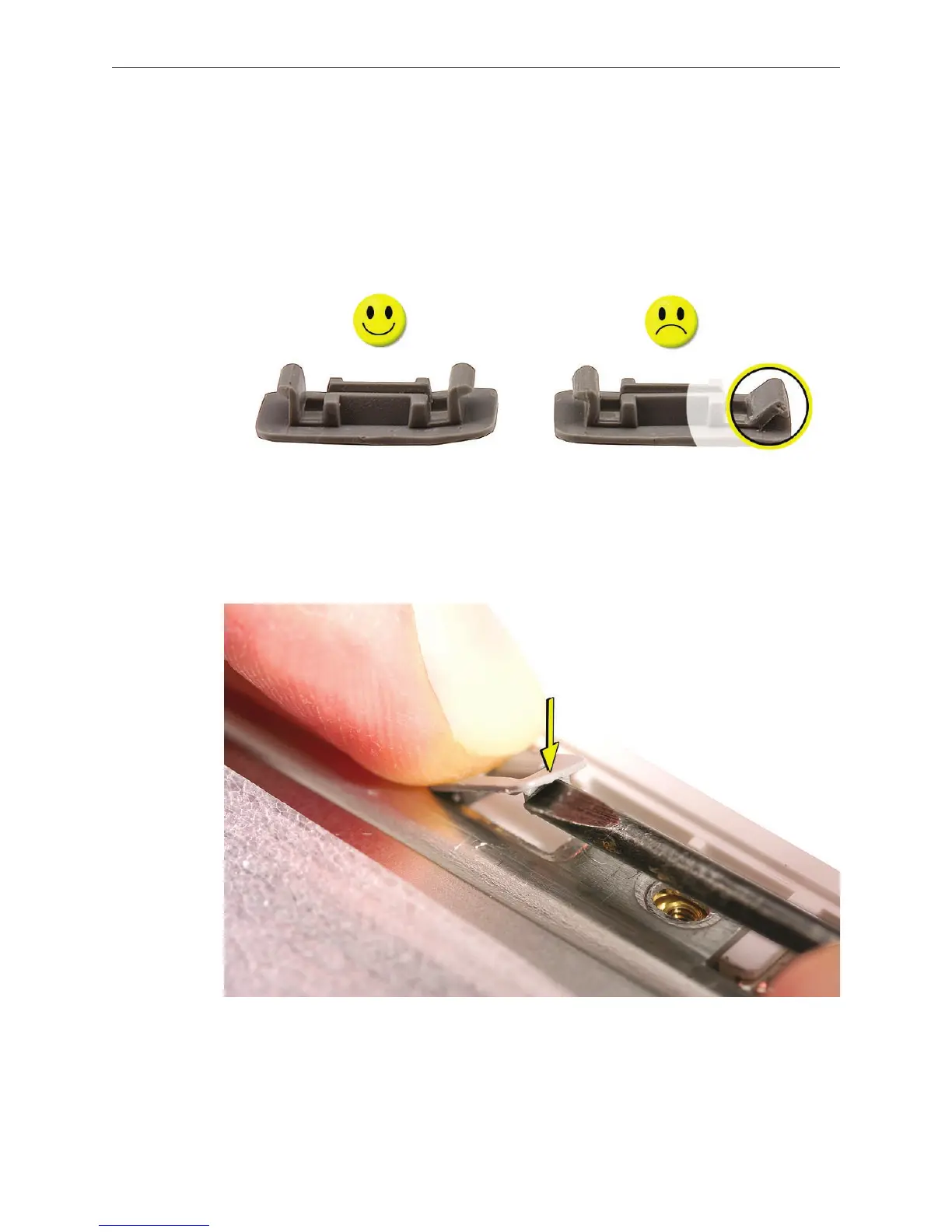
Closely inspect the two hooks on the replacement mounting clip. Make sure the hooks are
intact at a 90-degree angle.
Insert one end of the clip so that its hook catches on the bezel brace opening. While holding
that end in place, use a jeweler’s atblade screwdriver to tuck in the other hook.
Note: You might need to bow the clip slightly to get it to t.
2.
1.
2.


 To Next Page
 Loading...

