Chapter 2 Life with Your MacBook Pro 27
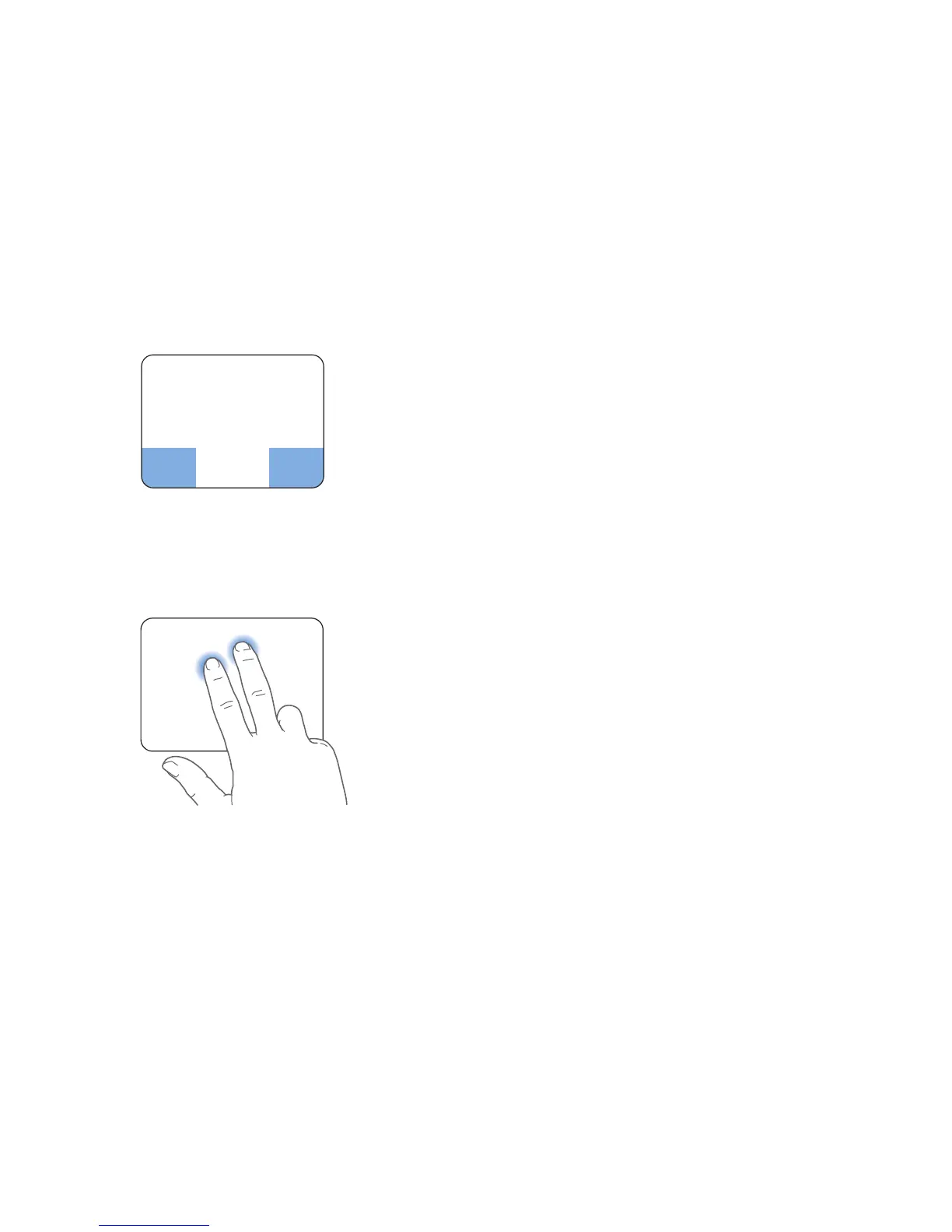
 Secondary clicking or “right-clicking” lets you access shortcut menu commands.
 To set up a one-finger secondary-click zone in the bottom left or right corner
of the trackpad, select Secondary Click under the One Finger option in Trackpad
preferences.
 To set up two-finger secondary-clicking anywhere on the trackpad, select
Secondary Click under the Two Fingers option in Trackpad preferences.
Note: You can also secondary click by holding down the Control key while you click.
Secondary click zone



 To Next Page