Chapter 3 Boost Your Memory 37
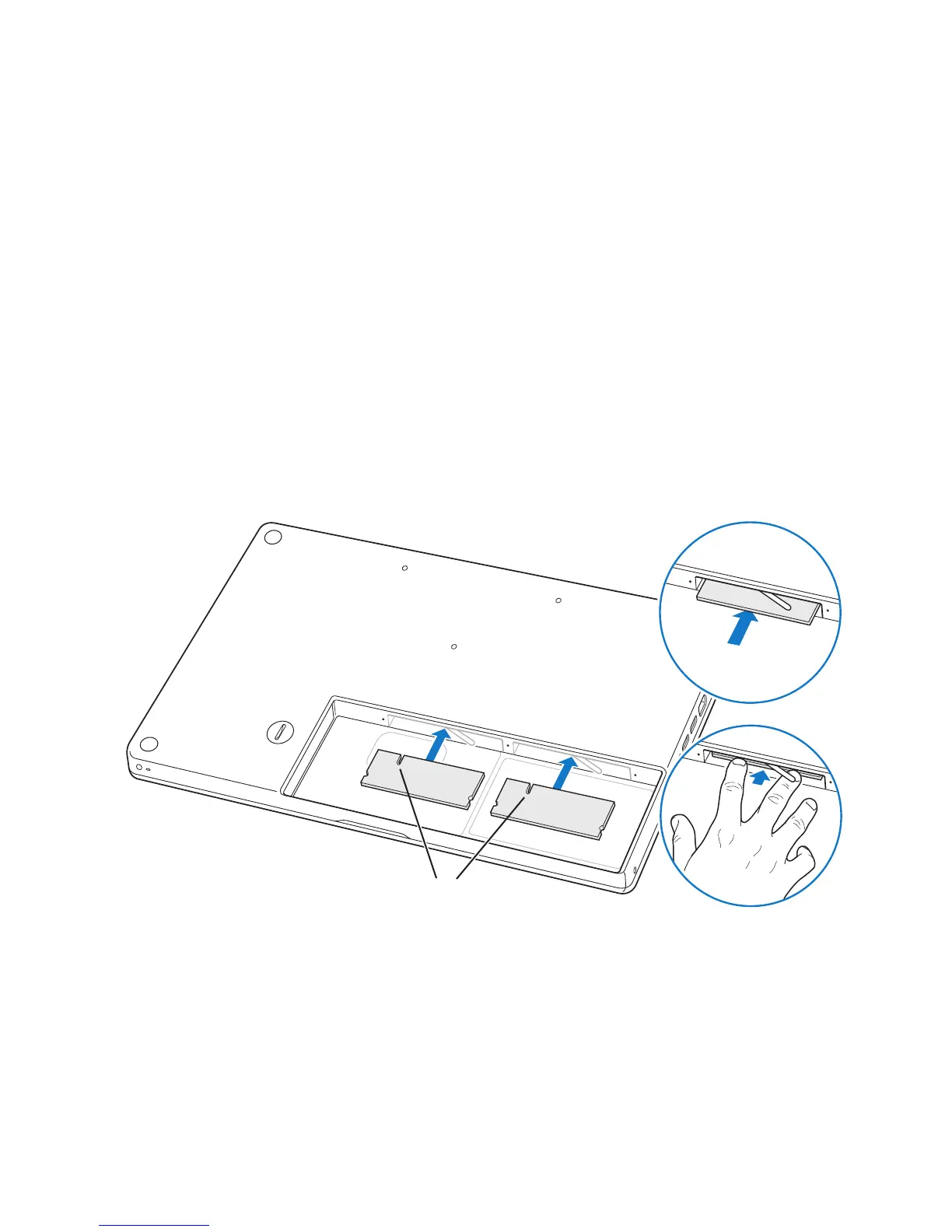
4 Insert the new memory modules in the slots:
a Insert the gold edge first, with the notch on the left side.
b Use two fingers with firm, even pressure to push in the memory modules. You
should hear a click when the memory is inserted correctly.
Note: The new memory module may have some residue on it from a lubricant
that makes the memory easier to install. The residue is normal and should not be
wiped off.
c If the levers don’t return to the closed position, move them to the right to
close them.
Notches
¥
Á



 To Next Page