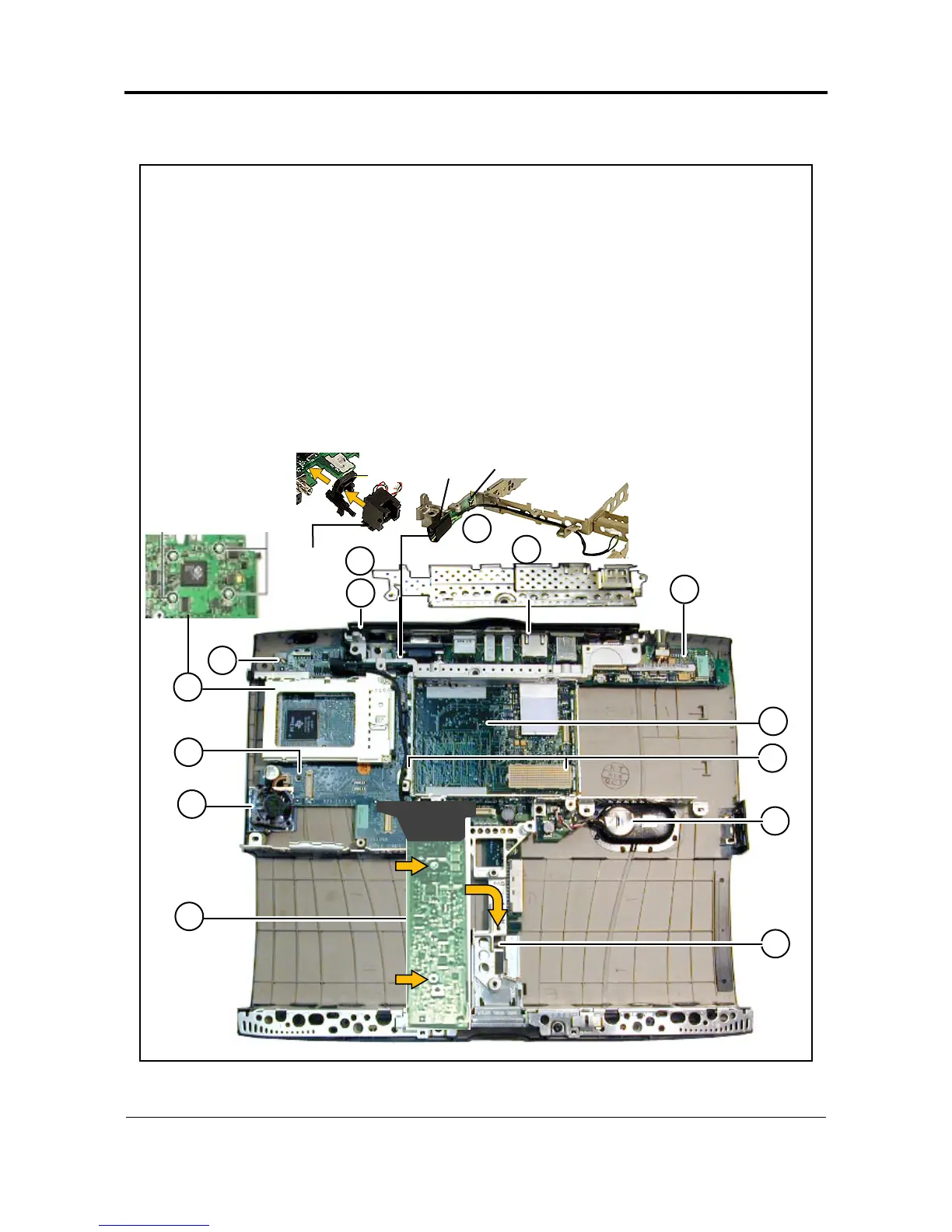
Exploded View
PowerBook (FireWire)
6
PowerBook (FireWire) Reassembly Checksheet
PowerBook (FireWire) Reassembly Checksheet
1 Install backup battery (do not connect cable yet).
2 Install PCMCIA cardcage on I/O logic board (4 screws: 2 short, 2 long).
3 Install reset button on I/O logic board.
4 Install RJ-11 cable/phone jack on I/O logic board.
5 Install sound card on I/O logic board.
6 Install I/O logic board on bottom case.
7 Install fan on bottom case.
8 Install modem EMI filter card on stiffener (1 screw).
9 Install stiffener (2 screws).
10 Install screw on I/O logic board near fan.
11 Install nut on back left corner of I/O logic board.
12 Install yoke (1 screw and 1 spring).
13 Install power supply card (2 screws in middle of card).
14 Install I/O EMI shield.
1
2
3
4
5
Long
Screws
Short
Screws
10
8
6
12
14
7
9
Underside of
I/O Logic Board
11
Reset
Button
RJ11
Cable/
Phone
Jack
Modem
Filter
Screw
13



 To Next Page