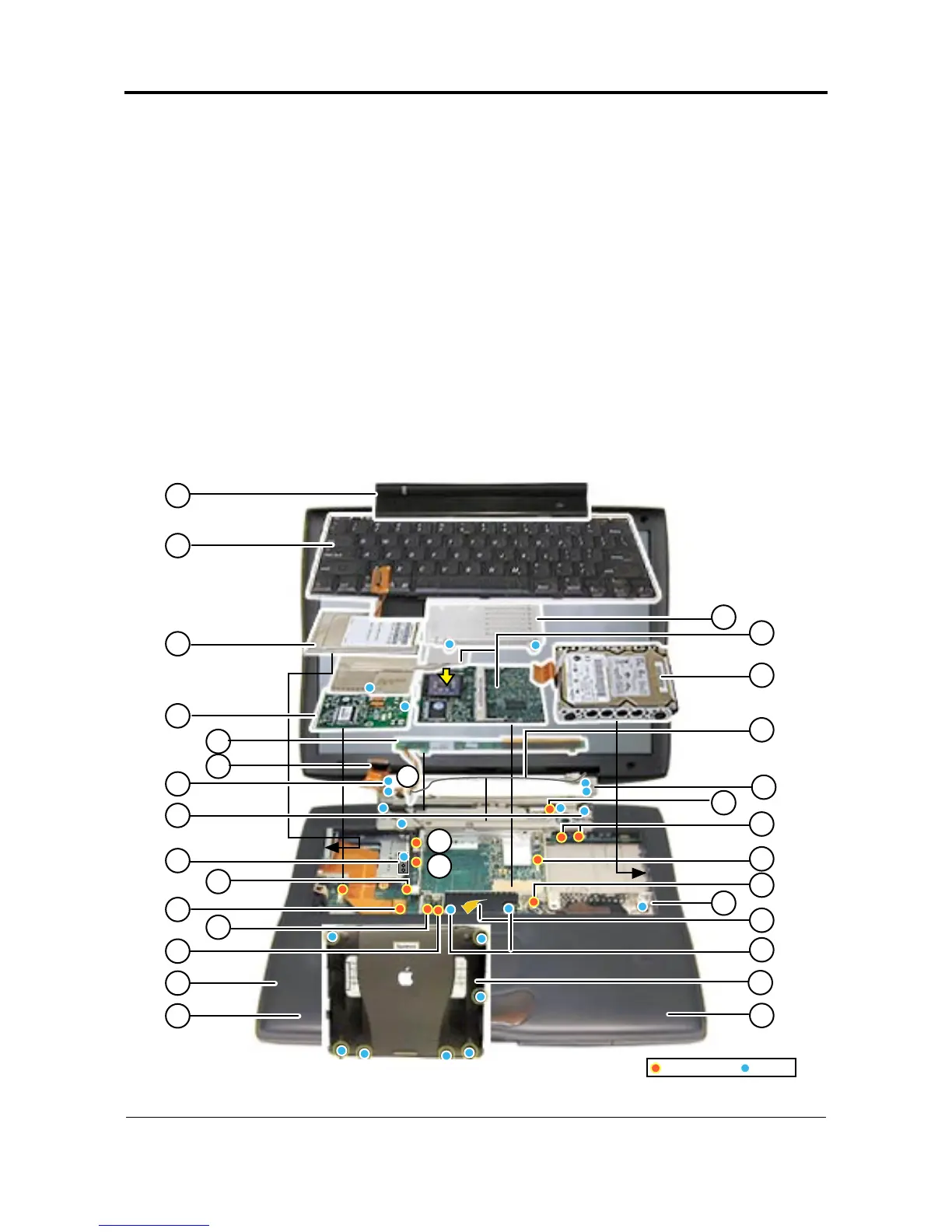
Exploded View
PowerBook (FireWire)
7
PowerBook (FireWire) Reassembly Checksheet
PowerBook (FireWire) Reassembly Checksheet (continued)
37
30
30
32
32
31
Underside
Long
Long
Connectors Screw
15 Snap top case to bottom case.
16 Connect power and speaker cables
to I/O logic board.
17 Connect wireless card slot cable to I/O logic board.
18 Install power supply card (2 screws on top of card).
19 Connect trackpad cable to I/O logic board.
20 Tuck power supply card EMI shield under palmrest.
21 Install right stiffener screw.
22 Install screws under clutch cover (4).
23 Install bottom case screws on underside of unit
(5 short, and 2 long over expansion bay
release levers).
24 Connect modem EMI filter board cable to modem
and install modem on I/O logic board (1 screw).
25 Install wireless antenna cable holder (1 screw).
26 Install and connect hard drive to I/O logic board.
27 Install display (4 screws behind I/O door).
28 Install AirPort card (if present).
29 Route wireless antenna cable and connect it
to AirPort card or into holder near modem.
30 Connect display cable to I/O logic board
and install screw.
31 Connect backlight cable to inverter board
and install inverter board on top case.
32 Connect inverter board cable to
I/O logic board and route cable.
33 Install clutch cover.
34 Install microprocessor board and
heat exchanger (1 screw).
35 Connect backup battery cable to
I/O logic board.
36 Install microprocessor EMI shield (2 screws).
37 Install and connect keyboard.
38 Install expansion bay modules.
24
26
18
38
29
35
21
31
36
26
16
27
20
34
38
37
17
19
24
22
28
27
38
15
25
23



 To Previous Page