I/O Logic BoardTake Apart
PowerBook (FireWire)
41
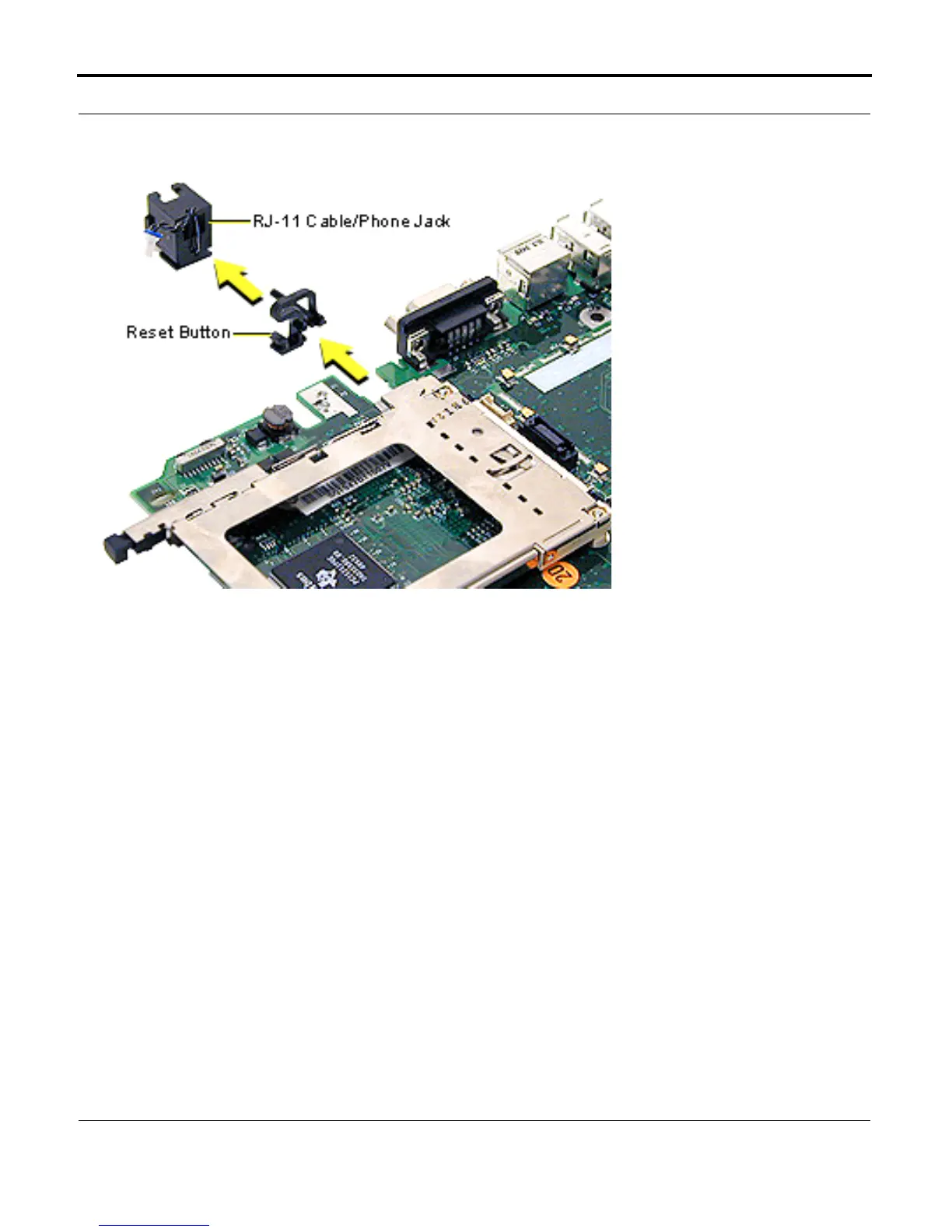
8. Slide the RJ-11 cable/
phone jack off the back
of the I/O logic board.
9. Slide the reset button
off the board.
Replacement Notes: Align
the reset button so the long
post is on the bottom and
extends to the outer edge of
the board. Align the
channels on the button to
the edges of the board and
slide the button onto the
board.
Position the RJ-11 cable/
phone jack so the wires
extend up the phone jack
and over the top. Align the
channels to the edges of the
board and slide the RJ-11
phone jack on.



 To Next Page