26 Chapter 4
4 Unplug the power cord from the power adapter.
5 If necessary, remove the locking cable from the security slot on the back of the display.
6 Unplug the monitor’s DVI and USB cables from the computer.
7 Unplug any USB cables that are attached to the USB ports on the monitor.
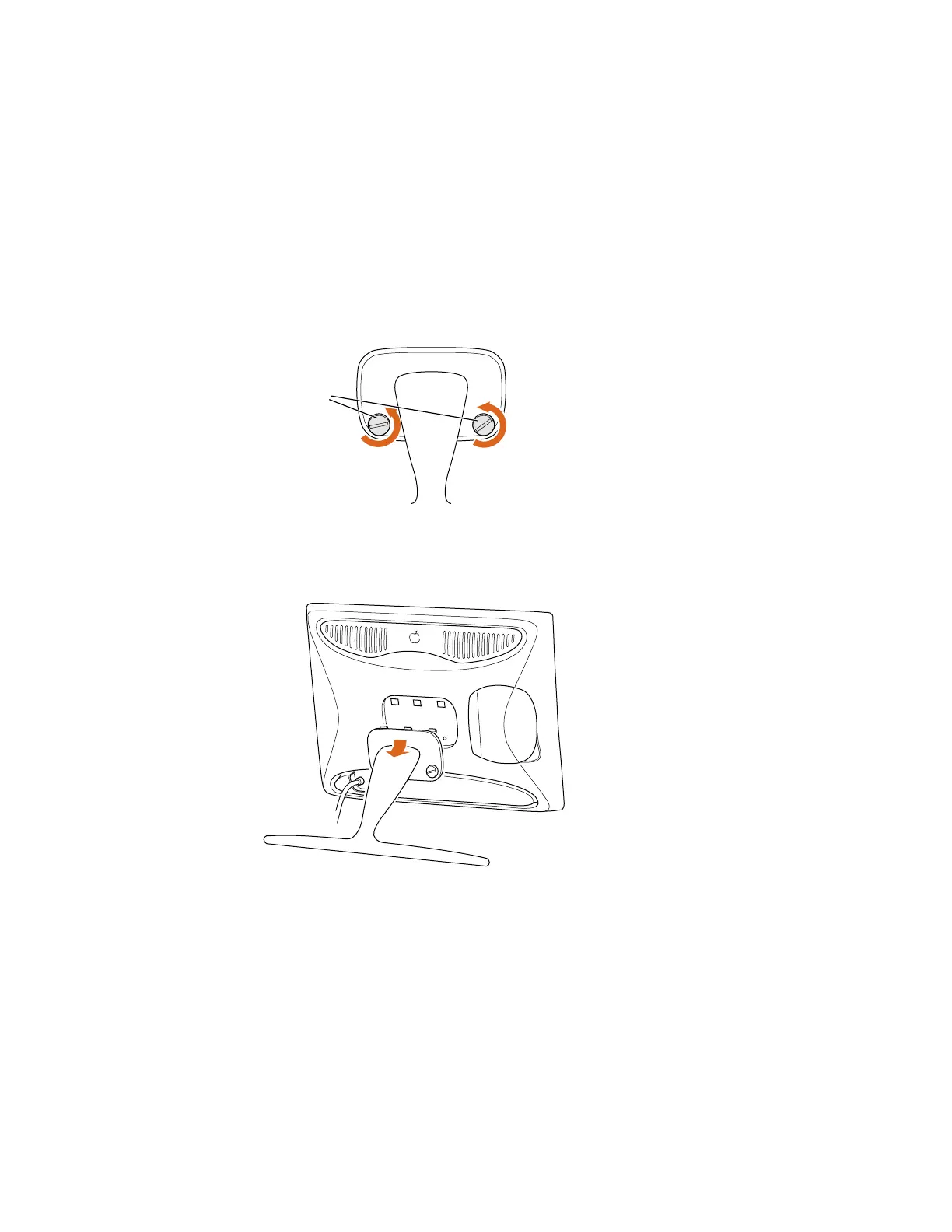
8 Use a coin or flathead screwdriver to unscrew the two plastic thumbscrews connecting the
flip-out stand to the display.
9 With one hand holding the display, use your other hand to move the flip-out stand slightly
downward to disconnect the three plastic tabs from the three openings on the back center
area of the display.
10 Place the display on a clean, flat surface.
11 Store the flip-out stand in a safe place.
Plastic
thumbscrews



 To Next Page