Take Apart Rear Housing - 24
Replacement Note:
As you
position the rear housing
onto the display assembly,
• Check the back of the
display. Ensure the
power adapter and video/
USB cables are centered
correctly with the rear
housing openings.
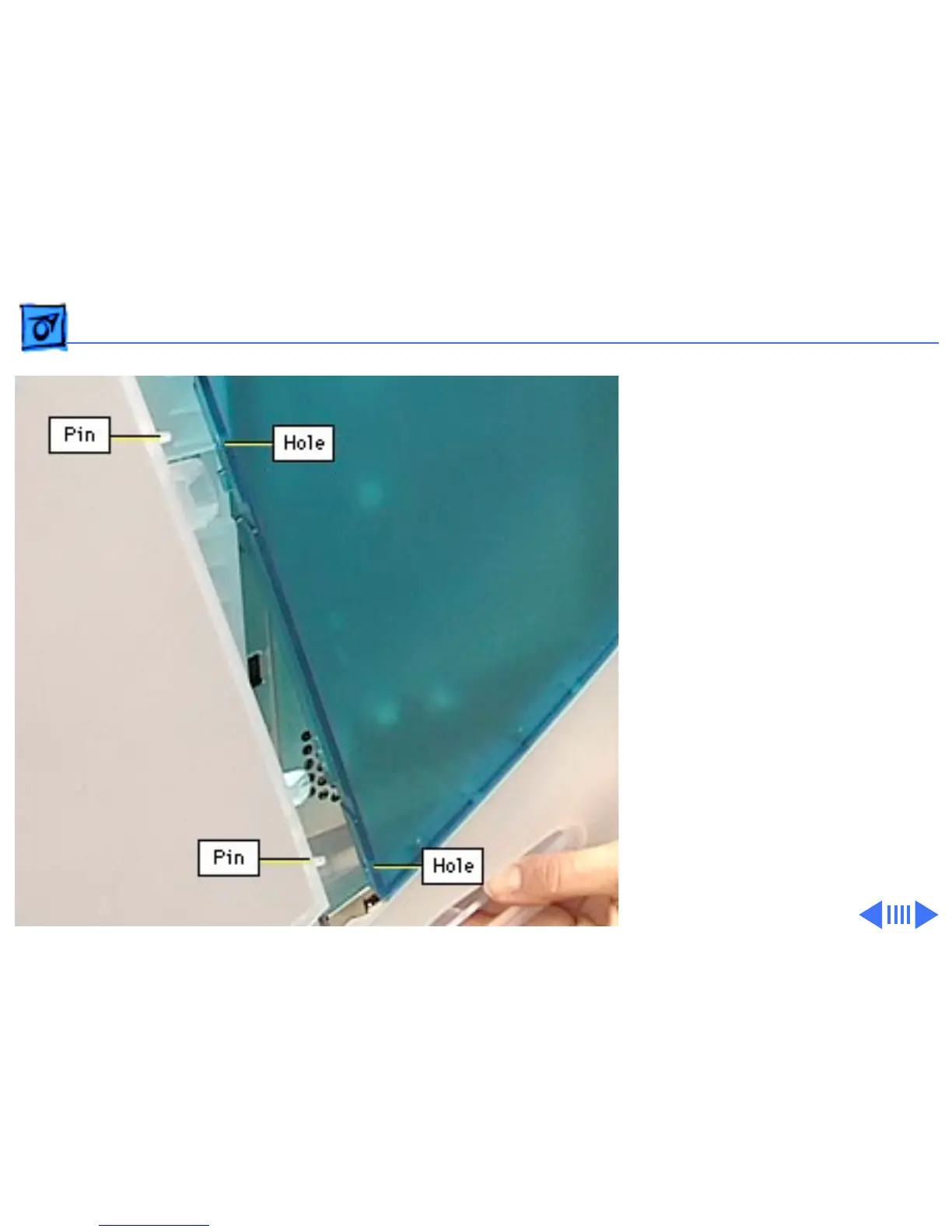
• Then check each side of
the rear housing. Line up
the three integral pins on
the display assembly
with the holes in the rear
housing.
• Check the top of the
display. Line up the two
pins near the center.



 To Next Page