Home
Apple
Monitor
Studio Display
Service Manual
Page 95
Apple Studio Display - Page 95
168 pages
Manual
Save Page as PDF
To Next Page
To Next Page
To Previous Page
To Previous Page
Loading...
Take Apart
USB
Assembly -
6
9
5
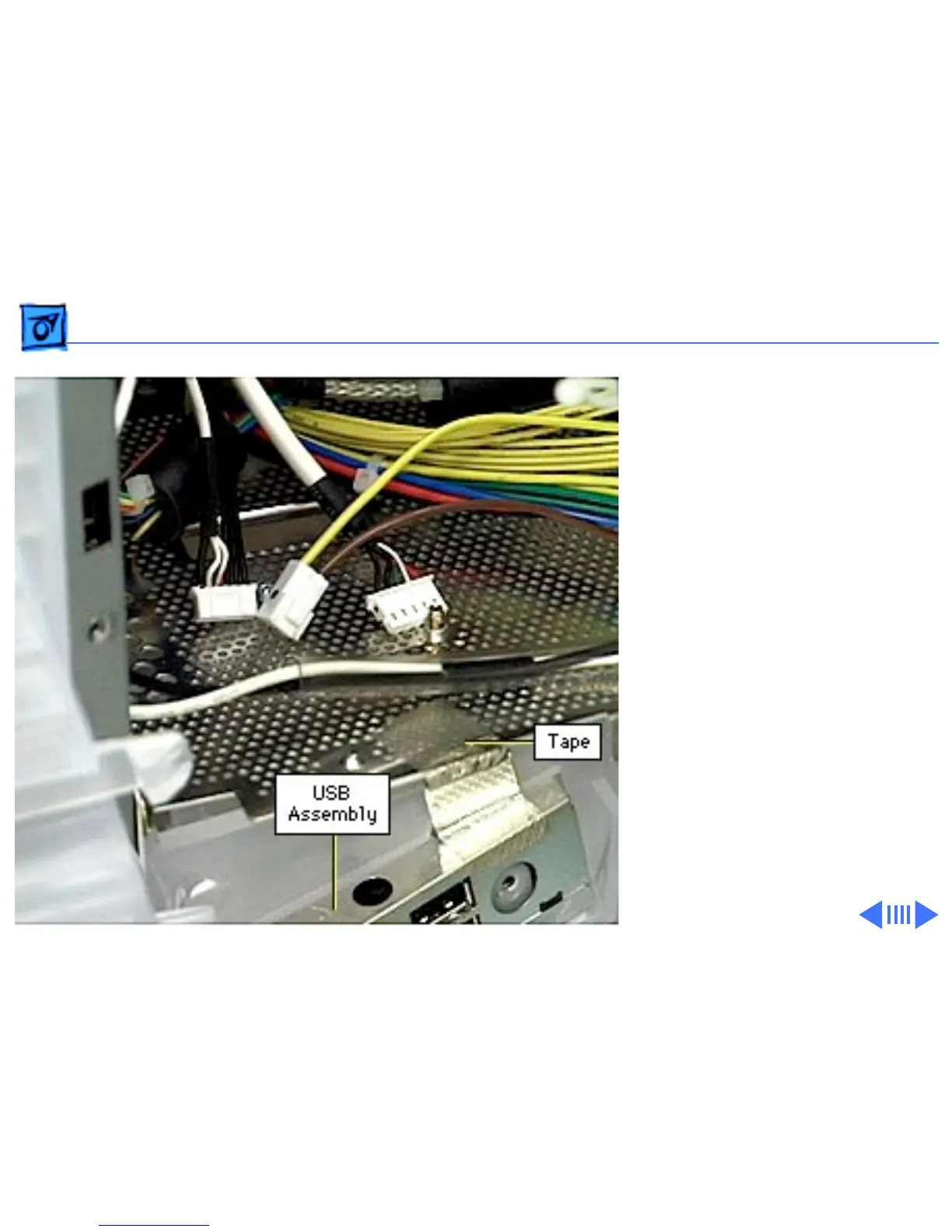
Peel back the metallic
tape so it is not touching
the USB assembly.
Replacement Caution:
When
replacing the USB assembly,
ensure the metallic tape is
securely reattached to the
bottom housing and the USB
assembly.
94
96
Other manuals for Apple Studio Display
User Manual
68 pages
Setting Manual
37 pages
Service Source
60 pages
Related product manuals
Apple Display Stand
5 pages
Apple Cinema Display
42 pages
Apple Cinema HD Display
90 pages
Apple LED Cinema Display
104 pages
Apple Thunderbolt Display
36 pages
Apple LED Cinema Display 27
117 pages
Apple Studio Display Cable
2 pages
Apple ADC
39 pages
Apple A1316
36 pages
Apple A1407
64 pages
Apple Thunderbolt
64 pages
Apple Computer Monitor
4 pages



 To Next Page