34 - Studio Display (17" ADC) Take Apart
Deflection Board Assembly
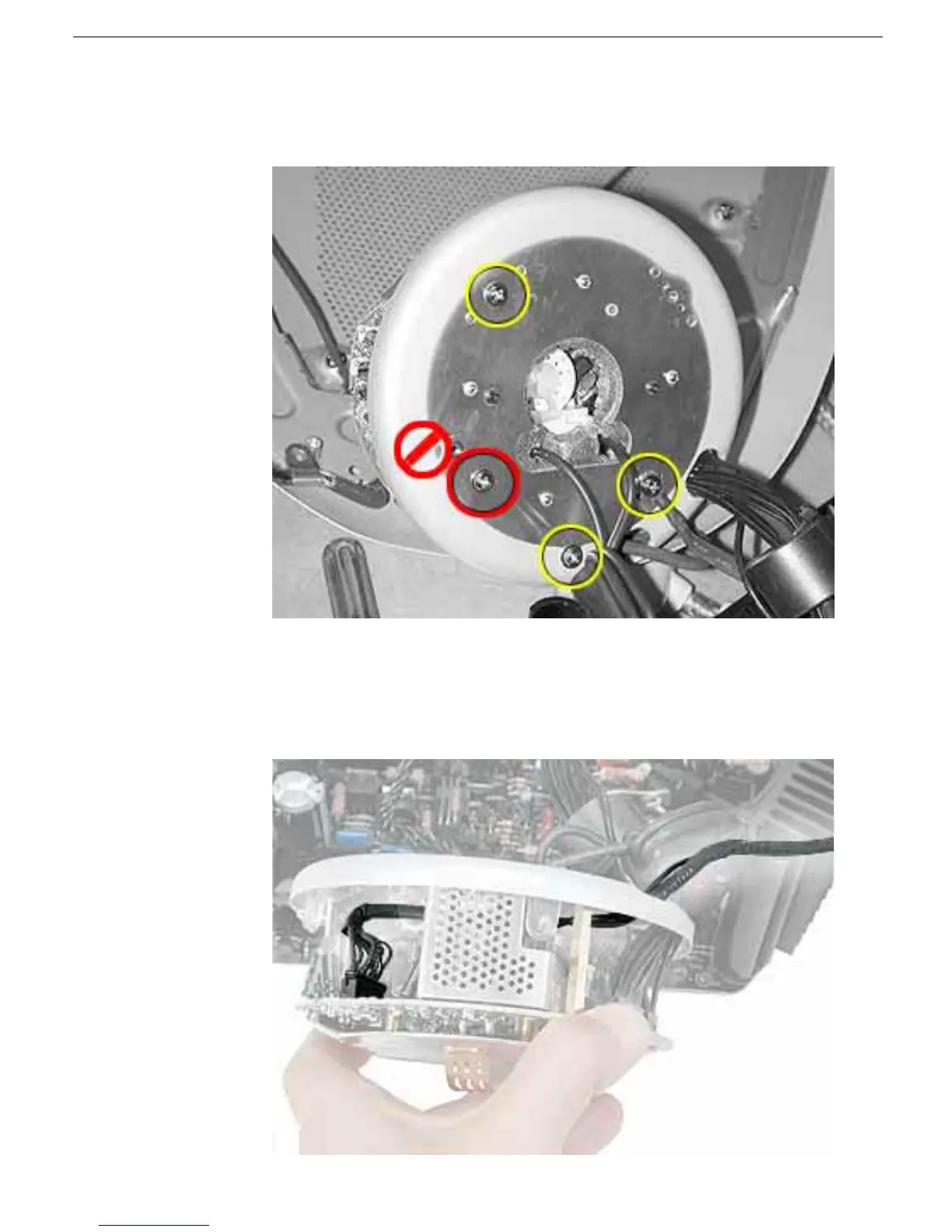
6. Remove the screw and ground cable from the bottom of the video shield. Remove two
of the remaining three screws as shown. Note: Do NOT remove the last screw, shown
in red below.
7. Replacement Note: Note the position of the video cable and clip before performing
the next step. You may need a needlenose pliers to replace the video cable.
8. Disconnect the video cable from connector B708. Pull apart the video holder and
video shield enough to remove the video cable. Lace the video cable through the hole
at the bottom of the video shield.



 To Next Page