18
Chapter 1
Plugging In the Display
1
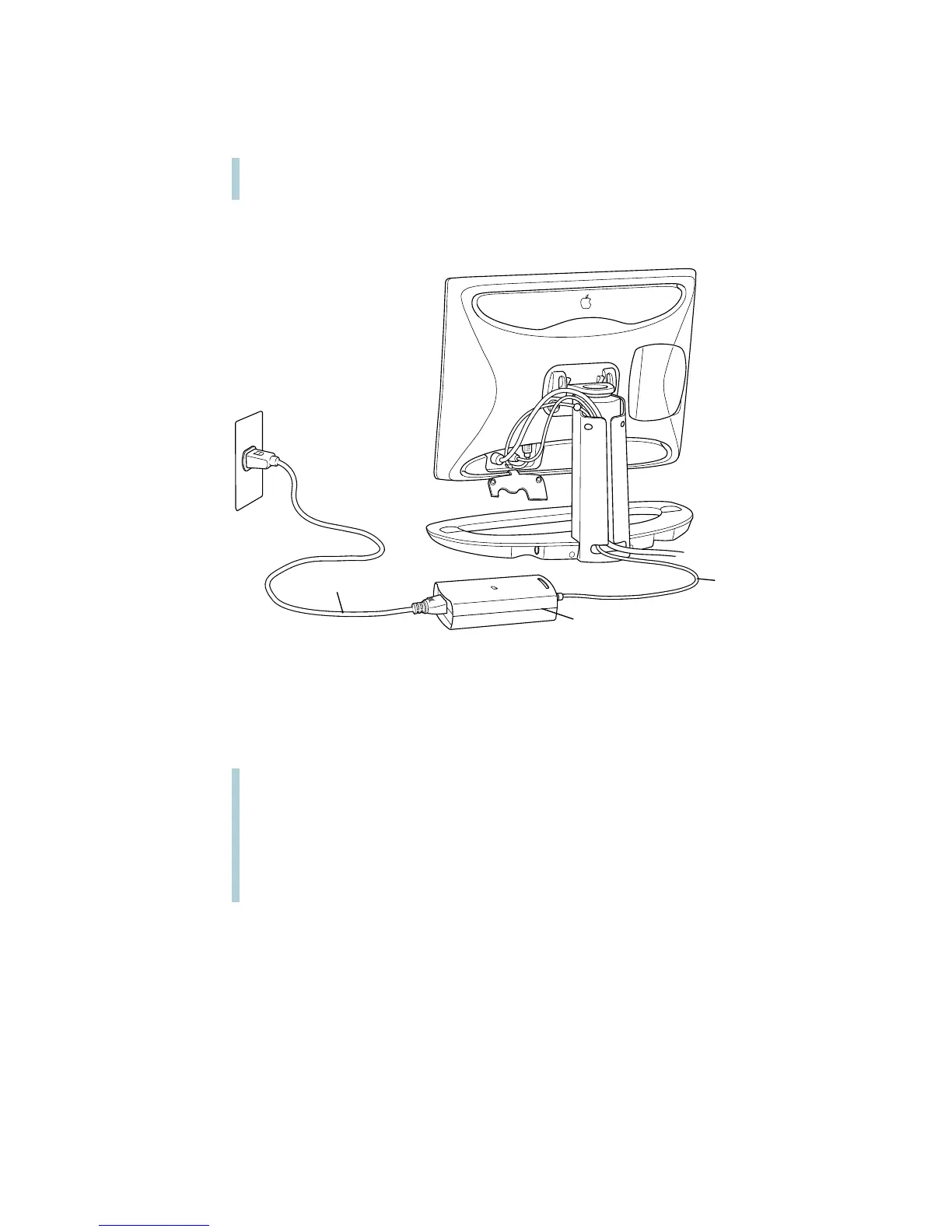
Plug the power adapter cable from the display into the power adapter.
2
Plug one end of the power cord into the power adapter and the other end into a three-hole
grounded outlet or power strip.
If you have a different type of power cord, plug it into the power socket on the back of your
computer.
Warning
Use only the power adapter that came with your display. Adapters for other
computer equipment may look similar, but they will damage your display.
Power cord
Power adapter
Power
adapter cable
Warning
This equipment is intended to be electrically grounded. The power adapter
that came with your display is equipped with a three-wire grounding plug—a plug that has
a third (grounding) pin. This plug will fit only a grounded AC outlet. This is a safety
feature. If you are unable to insert the plug into the outlet, contact a licensed electrician
to replace the outlet with a properly grounded outlet. Do not defeat the purpose of the
grounding plug!



 To Next Page