30 Chapter 2
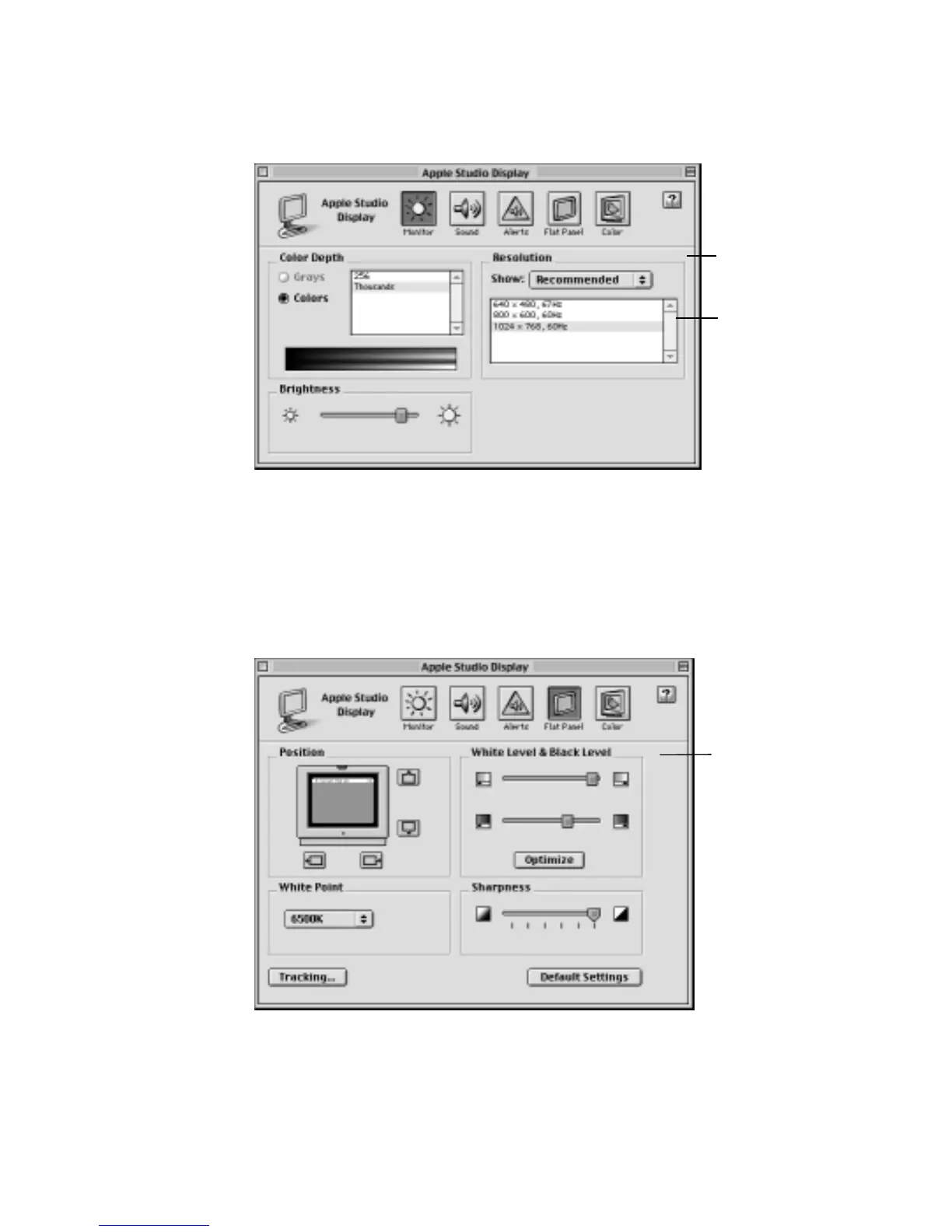
m Monitor—Use this button to adjust color depth, resolution, color, and brightness settings.
m Sound—Use this button to adjust your computer system’s sound. You can also set the
volume for speakers attached to your computer, choose sound input devices such as a
microphone or CD player, and select sound output quality.
m Alerts—Use this button to change your computer’s alert sound.
m Flat Panel—Use this button to adjust the position of the picture, white and black levels,
white point, sharpness, and tracking.
m Color—Use this button to access ColorSync controls.
When you click the
Monitor button, the
settings shown here
are displayed.
When you change
resolutions, the screen
will go dark for a few
seconds, then switch
to the new resolution.
You may need to
adjust the tracking.
When you click the
Flat Panel button,
the settings shown
here are displayed.



 To Next Page