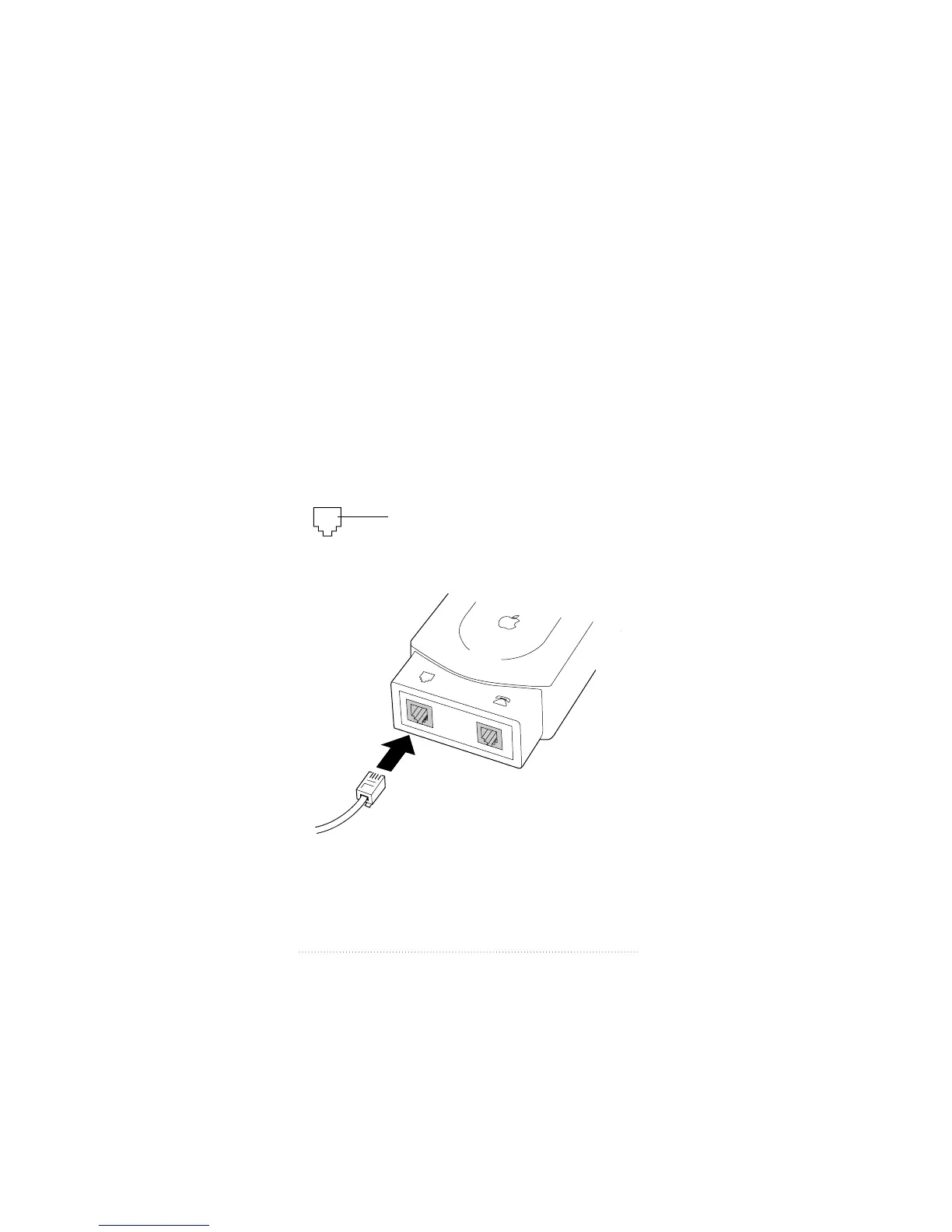
Connecting the adapter to the
telephone line
You need a standard telephone wall socket to connect the
adapter to your analog telephone line using the supplied
cable. If the supplied cable does not reach your telephone
outlet, you can buy a longer one from a telephone
equipment provider.
1 Locate the telephone cable that comes with your adapter
package.
2 Locate the line port at the end of the adapter.
3 Plug one end of the cable into the line port.
4 Plug the other end of the cable into your telephone
wall socket.
The line port is marked
with this icon.
6
Chapter 1



 To Next Page