Power Mac G4 Video Card -
3
Removing the Installed Card
Important:
Video cards are either accelerated graphics port (AGP) cards or peripheral
component interconnect (PCI) cards. These cards fit into expansion slots located on the
logic board.
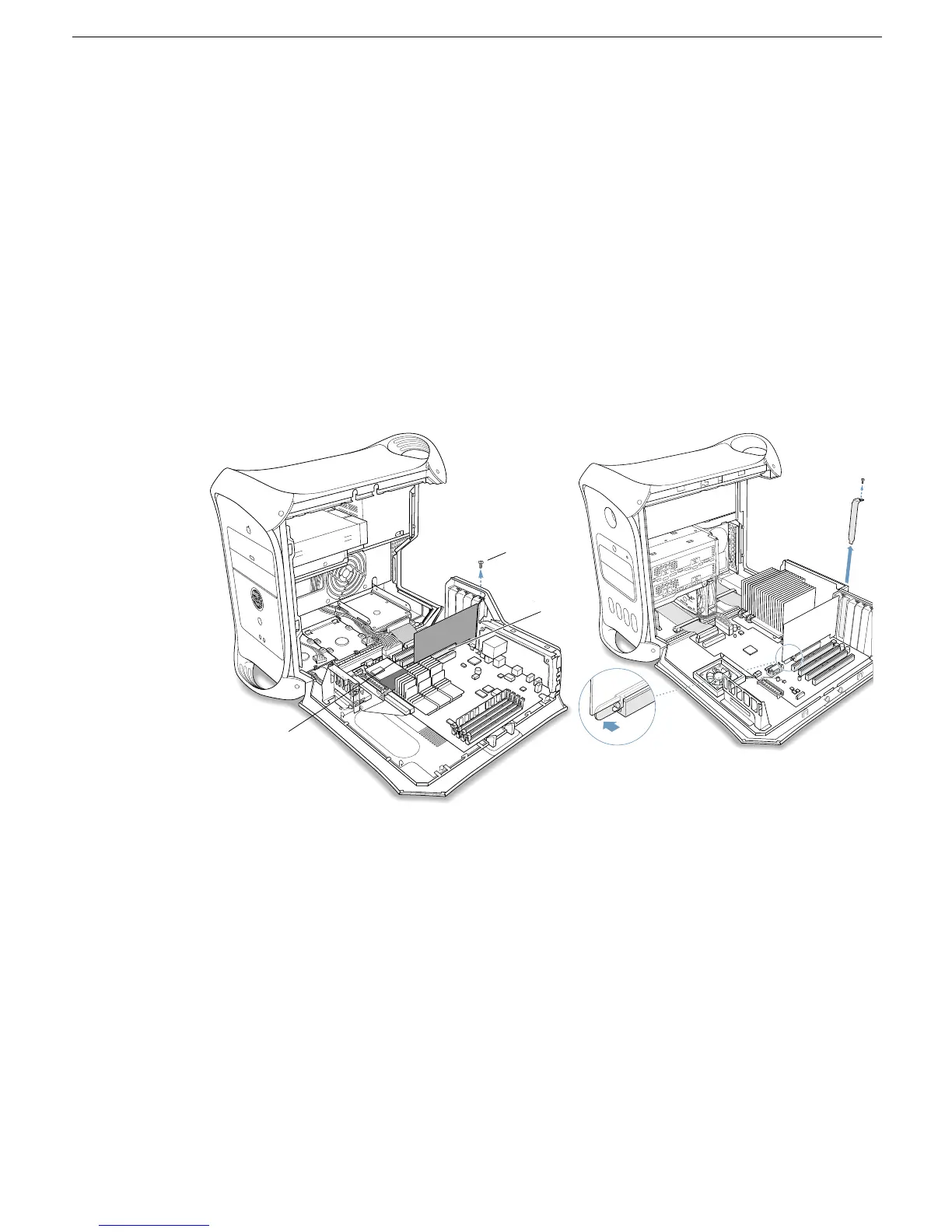
The steps for replacing both types of cards are similar. However, AGP cards must be
installed in slot 1
(Figure 2A)
, the shorter expansion slot, while PCI cards must be
installed in the longer PCI expansion slots
(Figure 2B)
.
1. Using a Phillips screwdriver, remove the card’s mounting screw.
(Figure 2C)
Figure 2
Power Mac G4 Power Mac G4 (Mirrored Drive Doors/FW 800)
2. If you are removing a PCI video card, gently pull up the card and remove it from its
PCI expansion slot.
AGP slot
A
B
C



 To Next Page