11 SD INDICATOR
Indicator (blue) turn on when you connect the SD
Memory card through SD Card port
12 USB INDICATOR
Indicator (blue) turn on when you connect the Memory
device through USB host ports
13 IR WINDOW
Receiving IR signals from the remote control
14
15
STATUS INDICATOR
STANDBY INDICATOR
Indicator (blue) turns on when the system is alive
Indicator (red) turns on when the system is in standby
mode
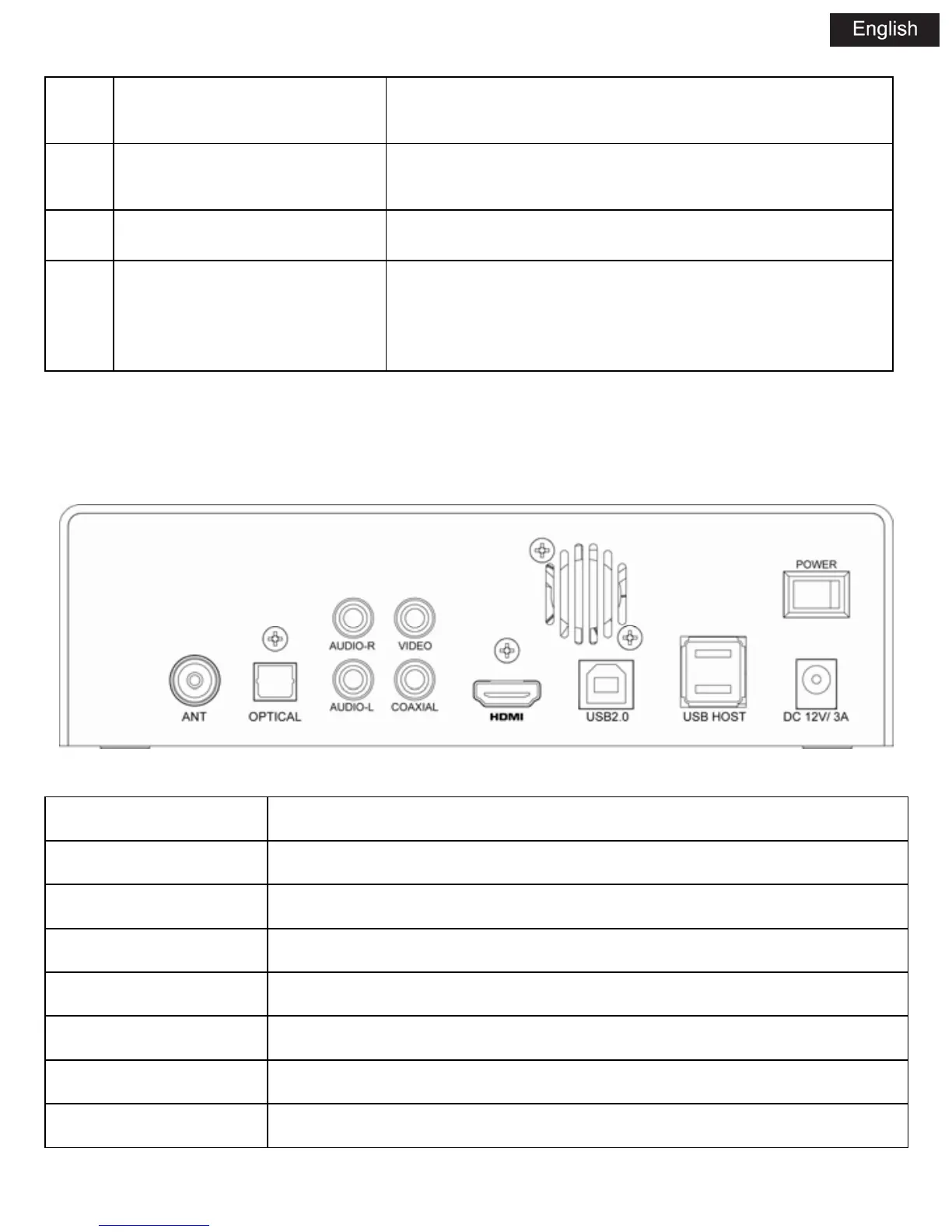
3.1.3 REAR PANEL
NAME FUNCTION
DC DC IN jack
USB 2.0 USB device
AUDIO-R Audio OUT jack (Right Channel)
VIDEO Video OUT jack
OPTICAL Optical jack
HDMI HDMI jack
USB HOST USB host port



 To Next Page