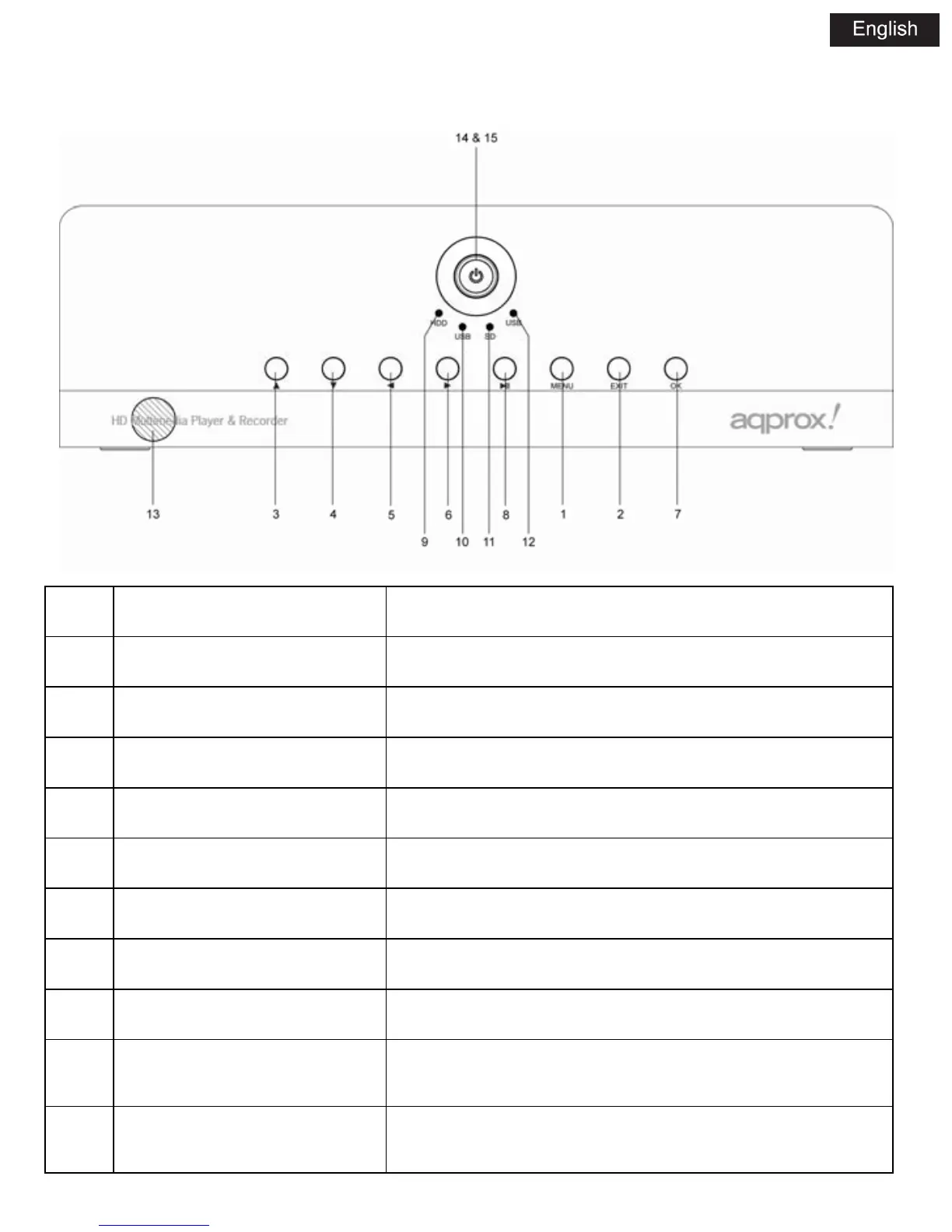
3.1.2 FRONT PANEL
NO. NAME FUNCTION
1 MENU Press to show the setup menu
2 EXIT Exit/Cancel
3 UP Move the highlight up
4 DOWN Move the highlight down
5 LEFT Move the highlight left
6 RIGHT Move the highlight right
7 OK Enter/ Play
8 PLAY/ PAUSE Play/ Pause switch
9 HDD INDICATOR
Indicator (Blue) turns on when you read the data in the
HDD
10 USB INDICATOR
Indicator (blue) turn on when you connect the Memory
device through USB host ports



 To Next Page