甬
κ
裣
酢
ˉ
喇鳘
鲂
囹
|∶∶!∶::::l|:言;:||!∶ ∶∶∶∶
|∶
|:重
^,^lI1111I11!!I11蚤
阝
^|
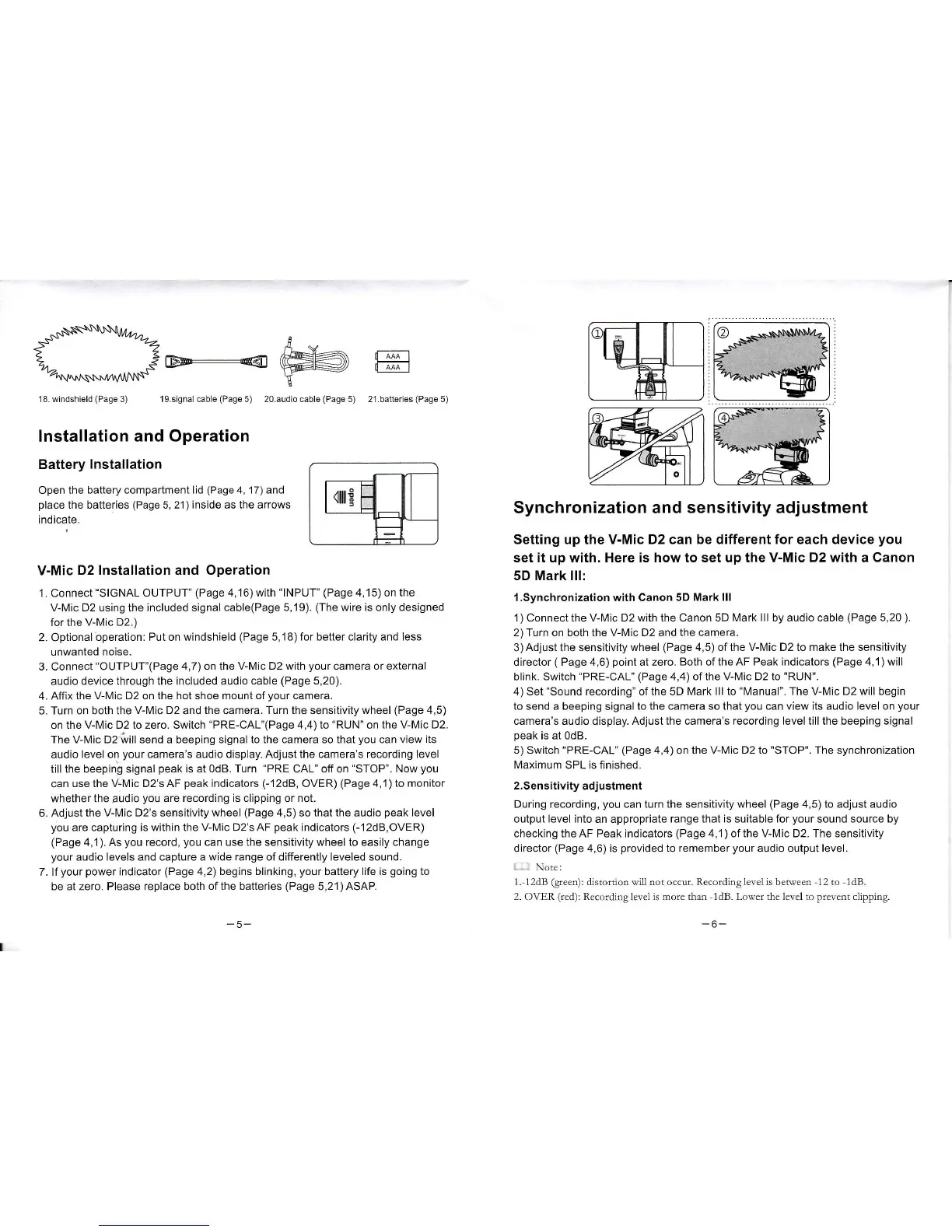
18W ndsh e d(Page3) 19s gna1cab e(Page5) 20audio cab e(Page5) 2‘ batteⅡ es(Page5)
Insta"at∶on and operation
Battery lnsta"ation
open the battery compa改
ment"d(Page4,17〉 and
pIace the batt0ries〈
Page5,21)inside as the arroWs
indicate
VˉMic D21n$taIlation and0peration
1 Connect“ slGNAL0UTPUT"(Page4,16)w"h“
INPUT”
(Page4,15)on the
V MiC D2using the inc|uded signa|cable(Page5,19) (The w re is onIy designed
forthe
ⅥM⒗ D2)
2 0ptional operation∶
Put onˇVindshield(Page5,18)f°
r better Clarity and less
unWanted noise
3 Connect“oUTPUT”
〈
Page4,7)° n the VLMic D2w仕 h your Camera or eXternaI
audio deVice through the inOIuded audio oable(Page5,20)
4AffX the V-Mic D2on the hot shoe mount ofyour camera
5 Turn on both the VLMic D2and the camera Turn the sensiuv"y wheeI(Page4,5)
onthe V-Mio D2to zero sW"ch“
PRE-CAL”
〈
Page4,4〉 to“RUN” °nthe V Mic D2
The V-Mic D2w"send a beeping signa|to the camera so that you can view吨 s
audio IeveI on your camera’
s audio display Adjustthe camera’ s recording leVe|
j"the beeping signaI peakis at OdB Turn
“
PRE CAL”
o仟
on“
sTOP”
Now you
can use the Vˉ
Mic D2’ s AF peakindicators(-12dB,oVER)(Page4,1)t° m°
n改 or
VVhether the彐 udio you are recording is cⅡ
pping or not
6 Adlust the、 /-Mio D2’ s sensitiv"y wheel(Page4,5)s°
thatthe audio peak|eveI
ˇ
°u are captu"ng is WⅡ
hin the V Mio D2s AF peakindicators(-12dB,oVER)
(Page4,1) As you record,you can use the sensitiv ty wheeIto eas"y change
your audio leveIs and oapture a Wide range of di仟
erently|eVeled sound
7 f your po、verindicator(Page4,2)begins bⅡ
nking,y°
ur baⅡ
ery|ife is going to
be at zero Please replace both ofthe batteries(Page5,21〉 AsAP
synChronization and sensitivity adjustment
setting up the Vˉ
Mic D2can be di仟erentfor each deVice you
setit up with.Hereis hoW to set up the Vˉ Mic D2With a Canon
5D Mark"l:
1synchronizatio"with Canon5D Mark"l
1〉
C°
nne。tthe V-Mic D2w"h the Canon5D Mark"l by audio cab丨 e(Page5,20)
2)Turn° nb°ththe V Mic D2and the oamera
3)Adjust the sensitiVity wheel(Page4,5)ofthe V Mic D2to make the sens tivity
d rector(Page4,6)point at zero Both ofthe AF Peak indioators(Page4,1)vvi"
bⅡ
nk sw"ch“ PRE-CAL”
(Page4,4)ofthe V~Mic D2to"RUN"
4)set“s°und recording” of the5D Mark"l to“ Manuar The v~Mic D2wⅢ
begin
to send a beeping signa|to the ca丨 ηera so that you can vie、 ˇits audio|eVe|on your
camera’ s audio disp|ay Adjustthe camera’ s reoording|eVeI ti"the beeping signaI
peakis at OdB
5)swⅡch“
PRE-CAL”
(Page4,4〉
°nthe V-Mic D2to"sTOP"The synchroniza刂 on
MaXimum sPLis ln shed
2sens"ivity a叻 ustment
During reoording,you Can turn the sensitiv ty wheeI〈 Page4,5〉 to adlust audio
output|eve|into an appropriate range thatis su tabIe for your sound source by
checking the AF Peak indicators(Page4,1)ofthe VLMic D2 The sensitiVity
director(Page4,6)is pr°vided to re丨
η
ember your audio outputleve|
出
N° tc∶
1△2dB(glccω ∶dist。 ru。 n xim n。 t。 ccur RcCordlnglcvd k bc小 评ccn12tO 1dB
20VER CcΦ ∶RCc∝
山ngl四cl“
m Drc than1dB L。 wcr dlc lcvcl to prcvcnt dlppiL△
g
-6-


 To Next Page
 Loading...