EasyManua.ls Logo

Aputure V-MIC D2 - User Manual

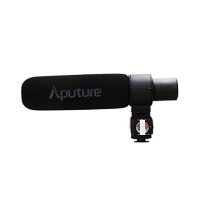
Aputure V-MIC D2
6 pages
Print Icon
To Next Page IconTo Next Page
Loading...
^卩
utuΓ
°
V■
k魉
SensiuvⅡ
y Adjustab|e Direc⒒
ona丨
Condenser Shotgun Microphone
Instruction ManuaI
Question and Answer IconNeed help?

Do you have a question about the Aputure V-MIC D2 and is the answer not in the manual?

Summary

Foreword

Introduction

Main Features

Adjustable AF Peak to synchronize with any device

Adjustable Sensitivity

Super-cardioid pattern

Low self-noise

Suitable for a dynamic range of sensitivity

Low-cut filter

Windscreen and windshield

Power indicator

Tri-isolation system

Product Overviews

Installation and Operation

Battery Installation

Instructions on opening the battery compartment and inserting batteries correctly.

V-Mic D2 Installation and Operation

Step-by-step guide for connecting, mounting, and operating the V-Mic D2 microphone.

Synchronization and sensitivity adjustment

Synchronization with Canon 5 D Mark III

Specific steps for synchronizing the V-Mic D2 with a Canon 5D Mark III camera's audio levels.

Sensitivity adjustment

Guidance on adjusting sensitivity during recording using AF Peak indicators for optimal audio.

Specifications

Aputure V-MIC D2 Specifications

General IconGeneral
Polar PatternSupercardioid
Frequency Response20Hz - 20kHz
Output Connector3.5mm TRS
Battery Life100 hours
Output Impedance200Ω
Maximum SPL130dB

Related product manuals