Need help?
Do you have a question about the Aqara U200 and is the answer not in the manual?
Specifies compatibility with Euro profile and Scandi cylinders, requiring an Emergency Function for unlocking.
States suitability for single-cylinder deadbolts and compatibility with 2-3/8" and 2-3/4" backsets.
Requires a PH1 Phillips screwdriver and recommends following the installation video for optimal results.
Details operations for Set Button (pairing mode) and Reset Button (calibration, reset).
Explains functions for Lock Button (lock, quiet mode) and Confirm Button (verify password, quiet unlock).
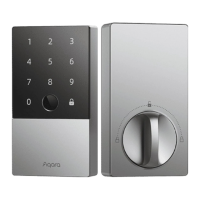
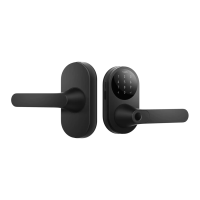
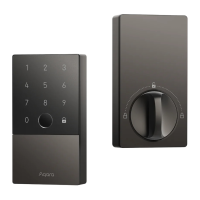
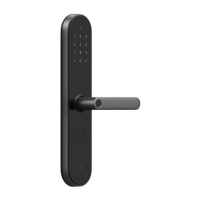
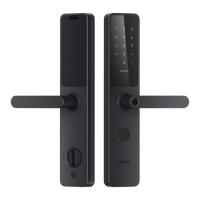
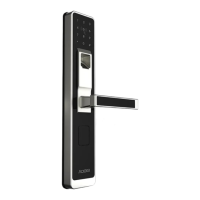
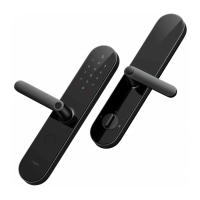
The Aqara Smart Lock U200 is a sophisticated smart home device designed to enhance security and convenience by offering keyless access and seamless integration with various smart home ecosystems. This lock represents a significant advancement in smart lock technology, focusing on ease of use, broad compatibility, and a rich set of features without requiring extensive modifications to existing doors.
The primary function of the Aqara Smart Lock U200 is to provide secure, keyless access to your home. It achieves this by operating your existing lock cylinder, eliminating the need for drilling or modifying your door. This design choice makes installation simpler and preserves the aesthetic integrity of your door. The U200 is equipped with Matter over Thread support, a crucial feature that ensures seamless interoperability across a wide range of smart home ecosystems. This means the lock can communicate and integrate with various smart home platforms, offering users flexibility in how they manage their home security.
For European standard mortise locks, the U200 supports Euro profile and select Scandi cylinders. A key requirement for these installations is that the cylinder must include an Emergency Function. This function is vital for safety, allowing the cylinder to be unlocked from the outside with a key even if another key is already inserted on the inside. This prevents lockout situations and ensures emergency access.
For American standard deadbolt locks, the U200 is suitable for single-cylinder deadbolt locks and is compatible with backsets of 2-3/8" (60 mm) and 2-3/4" (70 mm). This broad compatibility ensures that a wide range of existing deadbolt setups can be upgraded with the U200.
The lock offers multiple methods for access and control. Users can connect the U200 to the Aqara Home app, which provides a comprehensive interface for managing the lock and accessing exclusive features. Beyond the Aqara ecosystem, the U200's Matter over Thread support allows it to connect with other third-party Matter ecosystems. This enables users to integrate the lock into their preferred smart home setup, whether it's Apple Home, Google Home, or others. For iOS users, a 2-in-1 Apple Matter Controller and Thread Border Router are required to enable "tap to unlock" functionality with Apple home keys, which are automatically generated in the Wallet app after connecting to Apple Home.
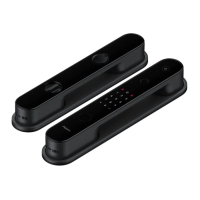
The U200 also features a keypad, offering an alternative method for access and local settings management. The keypad supports various operations, including locking and unlocking the door, verifying passwords, and enabling quiet lock modes.
The Aqara Smart Lock U200 is designed with a focus on user convenience and a wide array of features to enhance daily use.
To begin using the U200, users download the Aqara Home app from their respective app stores (Apple App Store, Google Play, Xiaomi GetApps, Huawei App Gallery) or by scanning a provided QR code. Once the device is powered on, users bring their phone near it, open the app, tap the "+" icon, select "Smart Lock U200," and follow the on-screen instructions. The Aqara Home app provides access to exclusive features without needing a separate hub, as long as the device is within Bluetooth range.
For integration with third-party Matter ecosystems, a 2-in-1 Matter Controller and Thread Border Router are necessary. Users power on the door lock, press the "Set" button to enter pairing mode, and then use the third-party app to scan the Matter QR code or enter the setup code from the lock or user manual. It's important to note that while third-party ecosystems support basic functions due to Matter ecosystem standards, for a richer user experience, adding the device to the Aqara Home app is recommended to unlock more advanced features.
After installation, the door lock stroke needs to be calibrated. This can be done either through the Aqara app or directly on the lock. The process involves starting indoors with the door closed but not locked, holding down the setup button on the lock for three seconds. The lock will then beep twice briefly, cycle through unlocked and locked positions, and play a melody to indicate successful calibration. A long two-tone beep signifies a calibration failure, in which case the lock will not operate until successful recalibration. Users are advised to check screw tightness if calibration issues persist.
The physical buttons on the door lock provide direct control over several functions:
The keypad offers a range of functions for daily use and configuration:
The keypad allows for several configuration options:
The Aqara Home app unlocks a suite of exclusive features and detailed settings that enhance the lock's functionality:
The Aqara Smart Lock U200 is designed with maintenance and power management in mind to ensure continuous operation.
The Smart Lock U200 supports charging while in use. To charge the lock, users place the charger in the supplied pouch and hang it on the door handle. This convenient charging method ensures the lock remains powered without needing to remove it from the door.
The keypad can be powered in two ways:
Resetting the lock is a crucial maintenance feature, allowing users to clear all user data and restore factory settings. The process varies slightly depending on whether the user is primarily using Aqara Home or another Matter ecosystem.
If the lock fails to calibrate or exhibits inaccuracies in movement, users are advised to inspect the screws for being too loose or too tight. Adjusting them as needed and then proceeding with the recalibration steps can resolve many issues, ensuring the lock operates smoothly and securely.
The Aqara Smart Lock U200 combines advanced technology with user-friendly design, offering a comprehensive solution for modern home security and access control. Its compatibility with existing lock mechanisms, multi-ecosystem support, and array of smart features make it a versatile and powerful addition to any smart home.
 General
| Type | Smart Lock |
|---|---|
| Connectivity | Zigbee |
| Compatibility | Google Assistant, Amazon Alexa |
| Power Source | Battery |
| Battery Type | 4 AA Batteries |
| Communication Protocol | Zigbee |
| Unlock Methods | Fingerprint |
| Security Features | Tamper Alarm |
| Operation Methods | Mobile App |


 To Next Page