10
Battery level
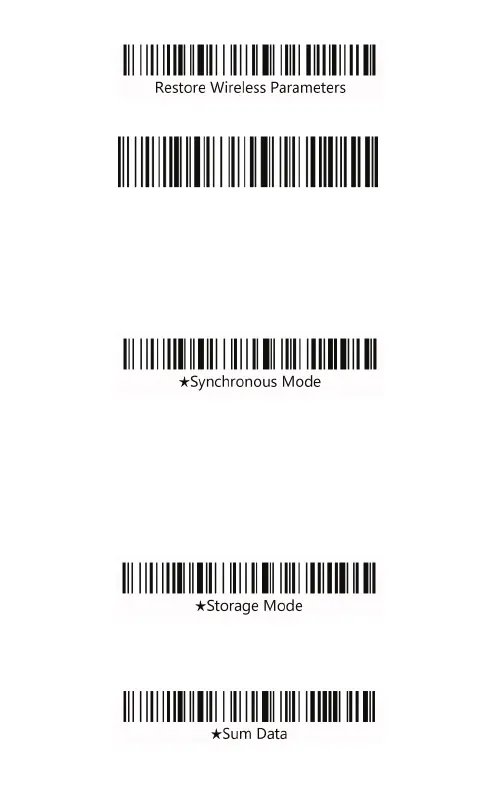
Wireless operating mode
The barcode scanner has two operating modes: Synchro-
nous Mode and storage mode, through a different set code to
operate the mode switch.
Synchronous mode: the scanning data directly through the
cable or wireless transmission to the computer.
If the barcode scanner works beyond the transmission range,
it is recommended to use storage mode.
Storage mode: the scanned data is stored in the internal
memory of the scanner. After scanning a barcode, barcode
scanner will send a short sound. The scanned barcode will
storage in the internal memory of the scanner automatically. If
the internal storage is full, the scanner will send three low-fre-
quency short tone alarm.
By scanning “Sum Data” barcode, user can check the barco-
de quantity in the internal memory of the scanner.



 To Next Page