13
d: Android System keyboard call out to the supplier to obtain
the Bluetooth input method APP.
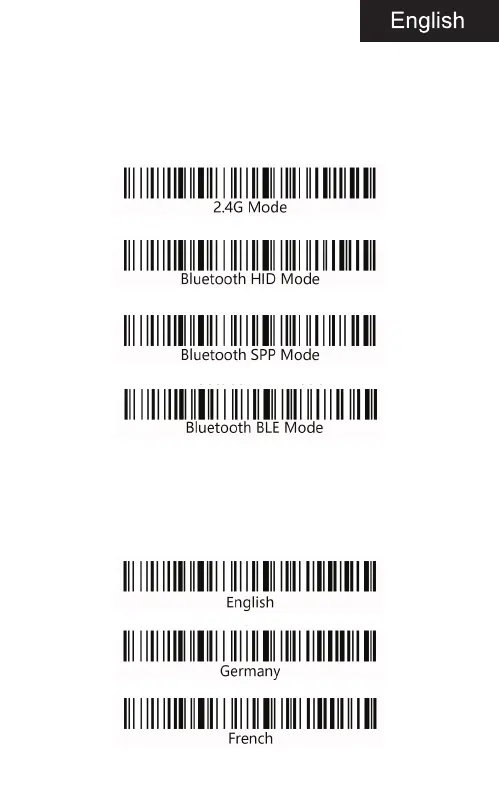
Communication mode switching (optional)
a: Start the scanner and scan “Enter Setup Mode” barcode.
b: Select the desired communication mode barcode.
c: scan”Exit Setup Mode”barcode.
Language settings
a: Start the scanner and scan “Enter Setup Mode” barcode.
b: Select the desired keyboard language barcode.


 To Next Page