12
d: Match success “Di” sound, the right blue light is always bright.
Method 2:
a: Start the scanner and scan “Enter Setup Mode” barcode.
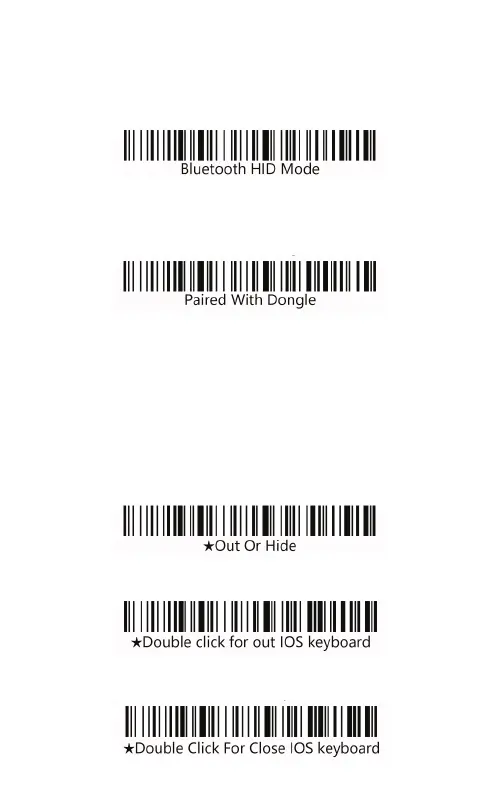
b: Scan the “Bluetooth HID mode” barcode.
c: Scan the “Paired With Dongle” barcode, enter the pair state.
The left and right blue light will flash alternately. (Or click the but-
ton double times to exit setup mode, back to the scanning state.)
d: Open Bluetooth in the device and search for the Barcode
scanner HID.
e: Click the Bluetooth device to enter the match status.
f: Match success “Di” sound, the right blue light is always bright.
g: Scan “Exit Setup Mode” barcode.
Android, IOS system keyboard settings (Bluetooth
transmission function)
a: IOS keyboard out or hide.
b: Double click for out IOS keyboard.
c: Double click for close IOS keyboard.


 To Next Page