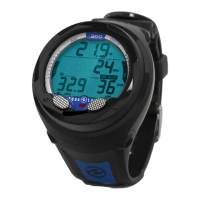
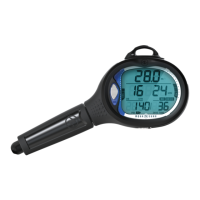
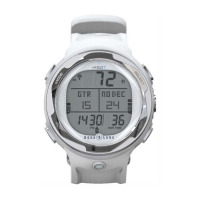
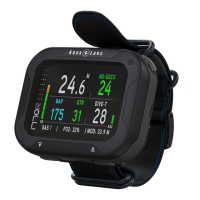
Need help?
Do you have a question about the Aqua Lung i100 and is the answer not in the manual?
Explanation of symbols denoting critical safety information and tips.
Guidelines for safe and responsible diving practices using a dive computer.
Procedure for turning on the i100 dive computer and its initial diagnostic process.
Explanation of Dive Time Remaining calculation and display on the dive computer.
Information on No Decompression limits calculated by the dive computer.
Details on Oxygen Time Remaining for nitrox dives and its relation to O2 Saturation.
Information on the Deep Stop feature and how it is calculated and displayed.
Details on the Safety Stop feature, its activation, and display.
Information on low battery warnings and alarms, and their implications.
Dive planning mode to calculate depth and time limits based on dive parameters.
Configuration for setting Air/EAN mixes, PO2 Alarms, and gas parameters.
Menu to customize various alarm settings for dive operations.
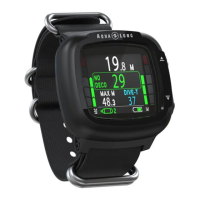
Main display screen during a dive showing key dive parameters.
Display and countdown for the activated Deep Stop during a dive.
Display and countdown for the activated Safety Stop during a dive.
Procedure and warnings for switching gases during a dive.
Warning display for high partial pressure of oxygen, indicating a safety risk.
Describes how the dive computer handles less-than-ideal diving situations.
Activation of decompression mode when dive limits are exceeded.
Details on sounds and displays upon entering decompression mode.
Alert for gas switching required during decompression stop.
Display for the main decompression stop, including depth and time.
Handling of conditional violations where no off-gassing credit is given.
Escalation of violation with penalty time addition and lockout to Violation Gauge Mode.
Violation state triggered by specific stop depth requirements.
Operation in Violation Gauge Mode during a dive due to deco requirements.
Operation in Violation Gauge Mode after surfacing from a dive violation.
Alarm condition for high partial pressure of oxygen at set point.
Violation state in Gauge Mode when descending deeper than maximum functional depth.
Critical safety warnings and recommendations for free diving activities.
Procedure for starting a free dive and navigating Free Dive Mode screens.
 General
| Display Type | LCD |
|---|---|
| Operating Modes | Air, Nitrox |
| Nitrox Compatibility | Yes |
| User Replaceable Battery | Yes |
| Battery Type | CR2450 |
| Audible Alarms | Yes |
| Number of Buttons | 1 |
| Water Resistance | 100 meters |
| Type | Wrist Computer |
| Maximum Operating Depth | 100 m (330 ft) |
| Battery Life | Approximately 2 years |

 To Next Page