*DIS0# : display OFF
*DIS1# : display ON
*FUNC# : as front panel ‘FUNC’ key
*STAT# :
Following this command, the unit transmits a sequence of characters indicating the current
status, i.e.
1) power-on / power-off status (PWR1/PWR0)
2) selected module (MOD1/MOD2/MOD3/MOD4)
3) LAN present / absent (ETH1/ETH0)
4) audio signal type (PCM/DSD)
5) bit number (16bit/24bit)
6) sampling frequency (44K1..768K se PCM, DSDx1/DSDx2 if DSD)
7) display enabled/disabled (DISP1/DISP0)
Electrical interface:
Communication is two-wire (tx, rx) type, without handshaking.
To connect to the PC you need a DB9-female / DB9_female cable of the "straight" type (ie
without TX / RX inversion), which makes the following connections:
pin2<-->pin2
pin3<-->pin3
pin5<-->pin5
Maximum cable length:
20 meters (with good quality cable)
7. Specifications
processor network streaming equipment
Architecture: User-configurable:
up to four service-dedicated streaming processors on
interchangeable slots of the main-board.
Internal custom developed LAN switch.
Dedicated power-supply for every slot.
Separate microcontroller for supervisory control and user interface.
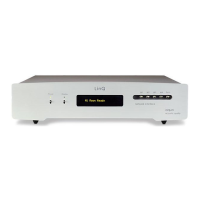
User interface: 2x20 character OLED display
The display shows information like the activated streaming service,
the sampling frequency and the word bits (16 /24) measured in real-
time.
Keyboard on the front panel (seven keys)
IR remote command (on request)


 To Next Page
 Loading...