7
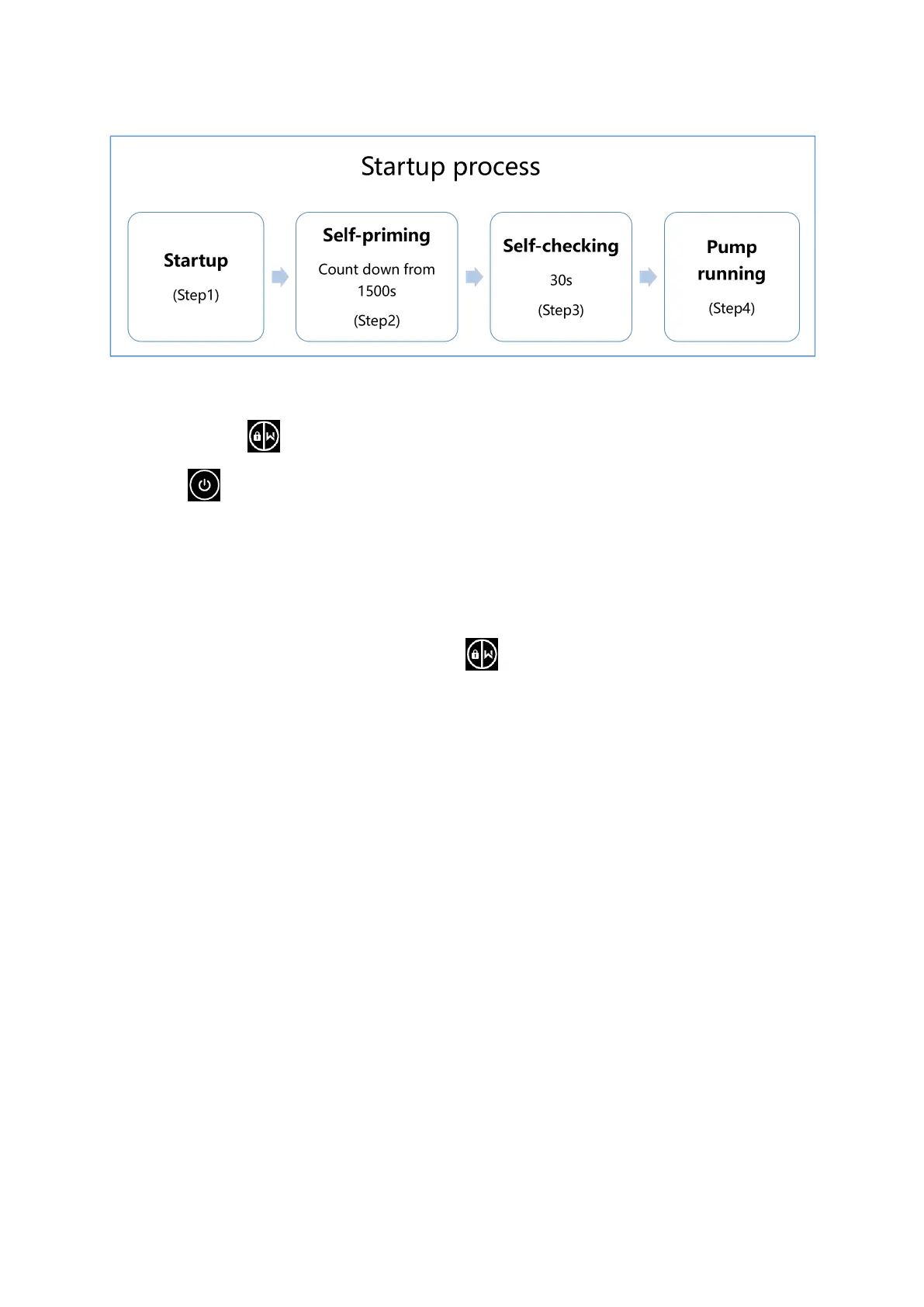
5.2 Startup process overview:
① Step1:Startup
Press and hold for more than 3 seconds to unlock the screen.
Press to startup the pump.
② Step2:Self-priming
The pump will start counting down from 1500s; When the system detects the pump is full of water, it will
stop counting down and exit priming automatically;
Users can exit self-priming manually by pressing for more than 3 seconds. But it’s recommended
that users should make sure the pump is full of water before exiting self-priming process;
Users can enter the parameter setting to disable the default self-priming function (see 5.8).
③ Step3:Self-checking
The pump will recheck for 30s again to make sure the self-priming(Step2)is completed.
④ Step4:Pump running
The pump will run at 80% of the running capacity at the initial startup after the self-priming.


 To Next Page