EasyManua.ls Logo

AQUAPHOR S550 - User Manual

AQUAPHOR S550
20 pages
Print Icon
To Next Page IconTo Next Page
Loading...
AQUAPHOR WATER SOFTENER
Operation manual
S550, S550 P1

Questions and Answers

Summary

Specifications

Source water requirements

Softener delivery set

Lists all components included with the softener for installation and operation.

General softener device

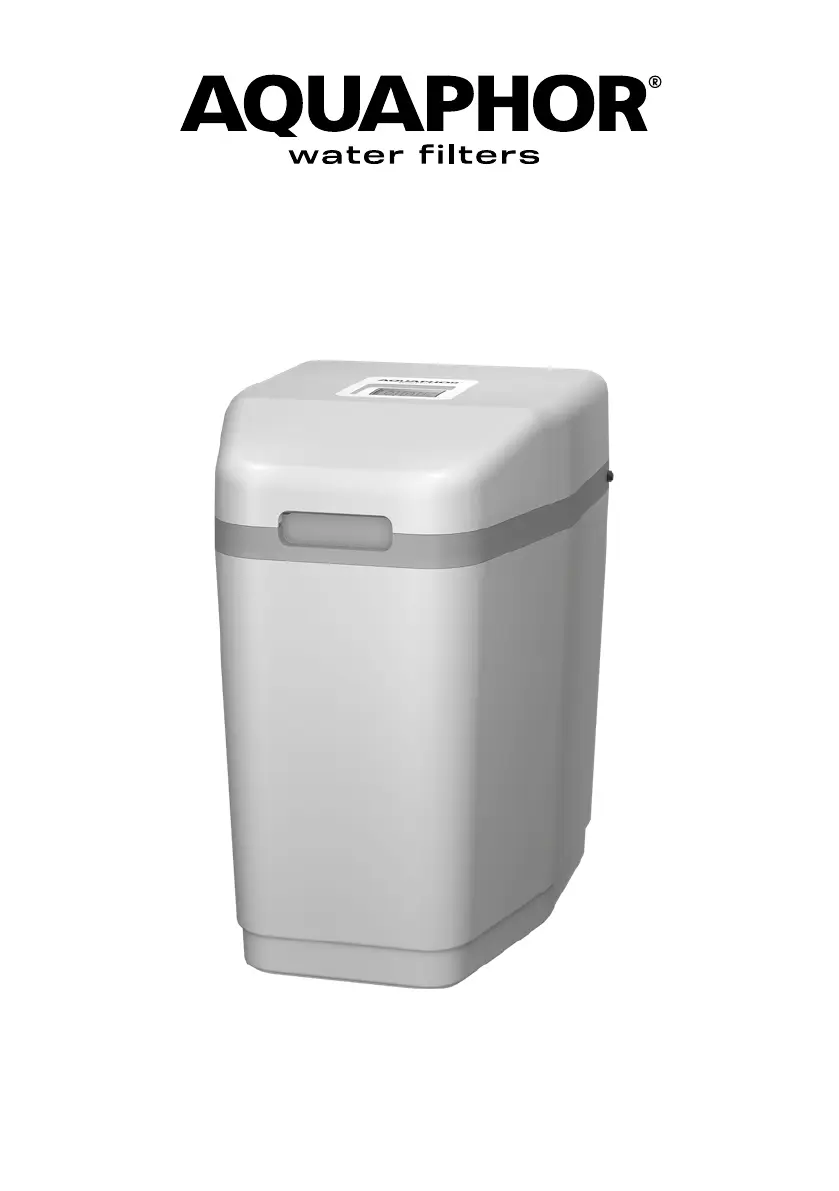
Appearance

Shows and labels the external parts of the Aquaphor water softener unit.

Lid removal

Step-by-step instructions on how to remove the softener's lid for access.

Bypass valve

Controller

Description of the controller's functions, display, and basic operation.

Control buttons

Explanation of the functions of the controller's P, C, and R buttons.

Start regeneration manually

Instructions on how to initiate a manual regeneration cycle using the R button.

Controller Screen

Interruption of a running regeneration cycle

Procedure to interrupt and advance regeneration stages for diagnostics.

Regeneration progress indicator

Explains the indicator that shows the current stage of regeneration.

Water consumption indicator

Describes the droplet indicator for monitoring water flow and detecting leaks.

Installing a softener

Water quality

Details requirements for water quality, including impurities, iron, manganese, and pH.

Hardness of water

Specifies the maximum water hardness the S550 model can effectively soften.

Water supply parameters

Lists required water pressure and temperature for proper softener operation.

Step-by-step instructions for installing a softener

Sewerage

Guidelines for connecting the drain line according to plumbing codes.

Power supply

Information on power requirements, voltage, and potential need for stabilizers.

Step 1. Prepare a place for connection

Instructions for preparing the installation location and necessary connections.

Step 2: Connect the softener to the water supply

Detailed steps for connecting the softener to the water supply lines.

Step 3. Connect the overflow line

Instructions for connecting the overflow line for excess water drainage.

Step 4 Connect the drain line

How to connect the drain line for water discharge during regeneration.

Step 5. Flushing the water supply

Procedure for flushing the system with water after installation.

Step 6. Make sure the connections are tight

Instructions for checking all connections for leaks after installation.

Step 7. Connecting the controller and power supply

How to connect the controller and power supply to the softener unit.

Controller setup

To calculate the compensated hardness

Explains how to calculate the compensated hardness value for controller setup.

Quick Setup; Basic Settings

Guides through initial setup of water hardness and current time.

Step 1. Set the hardness value

Instructions for setting the water hardness value in the controller.

Step 2. Setting the current time

How to set the current time (hour and minute) on the controller.

Mode of enhanced washing from iron

Step 1. Turning on; off the enhanced iron washing mode

How to enable or disable the enhanced iron washing feature for the softener.

Advanced settings

Salt regeneration mode change

How to select between AU, HC, and HE salt regeneration modes.

Enabling; Disabling the forced regeneration mode “72-96 hours

How to enable or disable the 96h regeneration mode for the softener.

Unit switching: gallon; liter

How to switch display units between gallons and liters on the controller.

Setting the regeneration start time

How to set the preferred time for regeneration cycles to occur.

Recommendations for effective use softener

Safety regulations

Precautions when connecting your Softener to the mains

Important safety and connection precautions before powering on the softener.

Do not disassemble your Softener nor open its housing!

Warning against disassembling the unit for safety and warranty reasons.

Rules for storage and transportation

Disposal

Guidelines for proper disposal of the softener according to environmental standards.

Terms of Service and Warranties

Exclusions and Limitations

Details what is not covered by the manufacturer's warranty.

Warranty Limitations

Lists specific conditions and damages not covered by the warranty.

Legal Rights and Limitations

Explains specific legal rights and warranty disclaimers.

Troubleshooting

No soft water output after softener regeneration

Solutions for issues with soft water output post-regeneration.

No soft water at softener outlet

Troubleshooting steps for no soft water at the softener's outlet.

Sensor registers water flow when water is not flowing

How to fix issues where the sensor incorrectly detects water flow.

No indication on the display

Solutions for when the controller display shows no information.

The device does not exit the regeneration mode

Troubleshooting steps for when the softener fails to exit regeneration mode.

Excess water in brine tank

Solutions for excess water accumulation in the brine tank.

Regeneration sequence broken

Addresses issues where the regeneration cycle is interrupted or fails.

Softened water is salty

Solutions for when the softened water has high salt content.

Controller errors

Explains various controller error codes (E1-E5) and their solutions.

Warranty coupon Aquaphor Softener

Installation information

For installation, operational and technical maintenance, please, contact:

Contact information for service and maintenance inquiries.

AQUAPHOR S550 Specifications

General IconGeneral
Water Temperature SettingsCold, Hot, Room Temperature
Capacity (Dispenser)5 Liters
MaterialPlastic
RemovesChlorine, Heavy Metals
Dimensions (Countertop)330 x 330 x 400 mm
Power Supply220V

Related product manuals