EasyManua.ls Logo

AquaScape IonGen - User Manual

Default Icon
12 pages
Print Icon
To Next Page IconTo Next Page
Loading...
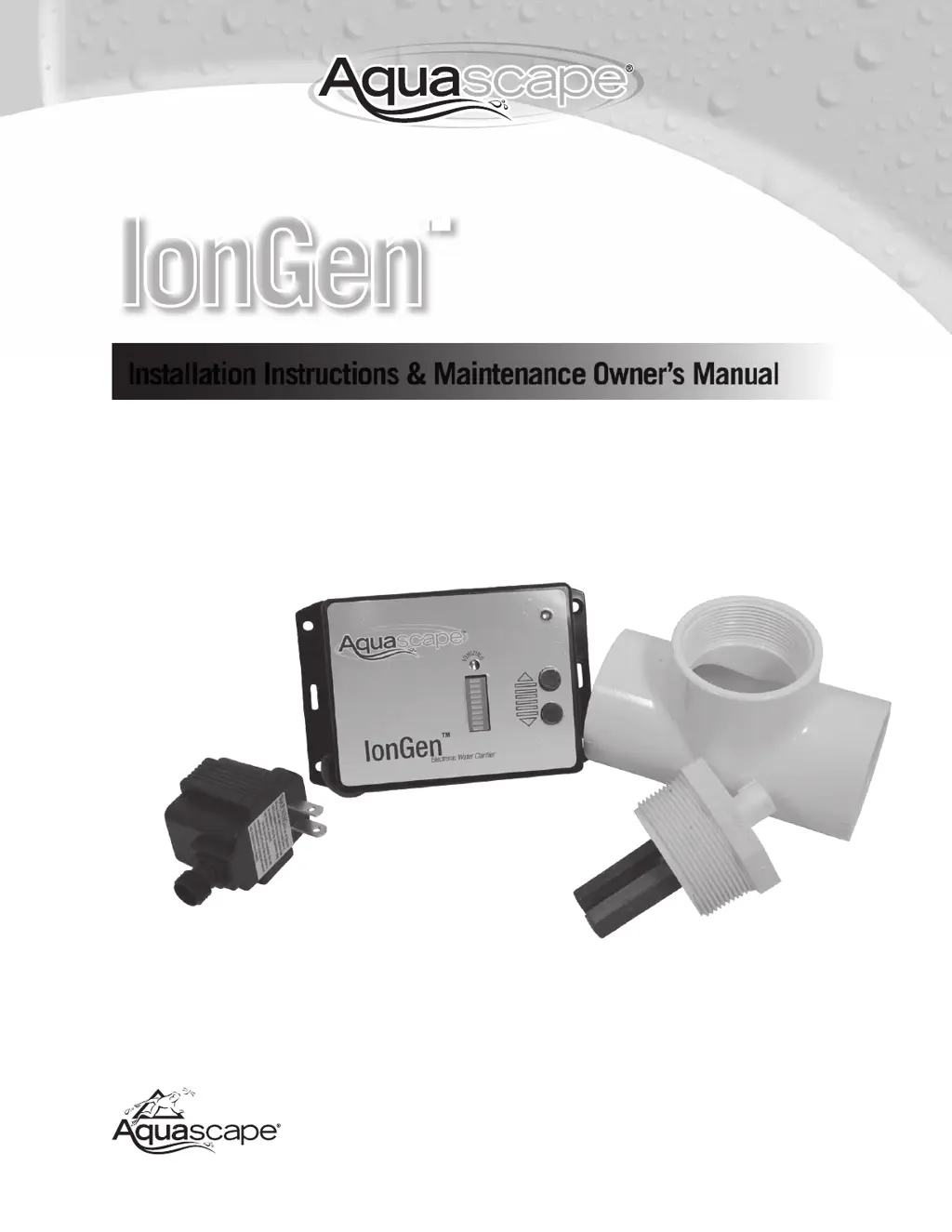
IonGen
Installation Instructions & Maintenance Owners Manual
Made in U.S.A.
Aquascape, Inc.




®


Other manuals for AquaScape IonGen

Questions and Answers

  • A
    Alan SmithJul 27, 2025
    What to do if AquaScape Water System has cloudy water?
    • J
      janemartinJul 27, 2025
      If your AquaScape Water System has cloudy water, it could be due to several reasons. The copper level might be too low, so try raising the ionization level. There might be insufficient flow through the Flow Chamber; in this case, increase pump run time or move the Flow Chamber to a higher flow location. Check also for debris stuck on the Probe, and if found, remove the Probe and clean any debris or scale build-up off the bars. It may also be that the water parameters are not correct, so check the Targeted Water Parameters table.
  • J
    Jessica MunozJul 31, 2025
    Why is the copper level low in my AquaScape IonGen Water System?
    • A
      andreabrownJul 31, 2025
      A low copper level in your AquaScape Water System can occur for a few reasons. The ionizing level may be set too low, so try raising it. Insufficient flow through the Flow Chamber can also cause this; increase the pump run time or move the Flow Chamber to a higher flow location. Additionally, the Probe might be exhausted; inspect it and replace it if necessary.
  • J
    James GarciaAug 5, 2025
    How to reduce high copper level in AquaScape Water System?
    • M
      melendezchristineAug 5, 2025
      To reduce a high copper level in your AquaScape Water System, reduce the ionizing indicator to 1 bar or unplug the Control Panel until the copper level is below 0.25 ppm. You can also perform a partial water change to decrease the copper level more quickly.
  • L
    Lindsey OdonnellAug 8, 2025
    What to do if AquaScape Water System ionization light flashing green?
    • S
      Stacey DodsonAug 8, 2025
      If the ionization light is flashing green or you're unable to raise the ionization level to maximum bars on your AquaScape Water System, it could be due to insufficient water flow through the flow chamber. Ensure the Probe is receiving enough water flow and that the red dot on top of the Probe fitting is aligned with the water flow direction through the flow chamber. Try moving the Probe to an area with greater water flow. Also, check for debris stuck on the Probe; if present, remove the Probe and clean off any debris or scale build-up.
  • T
    thomasstewartAug 13, 2025
    Why AquaScape Water System power light not illuminated?
    • A
      Ashley GravesAug 13, 2025
      If the power light on your AquaScape Water System is not illuminated, it could be due to a few reasons. There might be no AC power, so check the GFI and incoming power. Debris might be stuck on the Probe, so remove it and clean off any debris and scale build-up. It is also possible there is a controller failure, in that case contact Dealer or Installer.
  • D
    Daniel MurphyAug 17, 2025
    What does red Ionizing Light mean on AquaScape IonGen?
    • D
      Daniel CabreraAug 17, 2025
      If the Ionizing Light on your AquaScape Water System is illuminated red, it indicates that the Probe is exhausted. Inspect the Probe and replace it if necessary.
  • P
    perezcrystalAug 22, 2025
    How to raise ionizing indicator to maximum bars in AquaScape Water System?
    • S
      Stephanie LarsonAug 22, 2025
      To raise the ionizing indicator to maximum bars on your AquaScape Water System, remove the back panel of the Control Panel and turn the blue potentiometer screw clockwise until maximum bars are able to be reached using the Control Panel touch pad; the manufacture setting in Control Panel needs to adjusted.

Summary

Safety and Installation

Safety Instructions

Essential safety guidelines to follow before and during installation.

Step-by-Step Installation

Detailed instructions for installing the lonGen system components.

Mount the lonGen Control Panel

Instructions for mounting the control panel in the desired location.

Install the Flow Chamber

Guidance on installing the flow chamber into the water feature's plumbing.

Operation and Maintenance

Flow Chamber Option B: Skimmer or In-Stream Install

Instructions for installing the flow chamber in a skimmer box or stream.

Operating the lonGen

How to power on, use, and control the lonGen system's ionization.

Choosing Desired Ionization Level

Methods to adjust and monitor the ionization output level.

Maintenance

Information on maintaining the lonGen system, including probe replacement.

Troubleshooting and Specifications

Replacing the Probe

Guide on how to inspect, clean, and replace the lonGen probe.

Winterization

Recommendations for preparing the lonGen system for cold-freezing temperatures.

Troubleshooting Guide

Common problems, their causes, and solutions for the lonGen system.

Targeted Water Parameters

Optimal water chemistry levels for effective lonGen performance.

lonGen Specifications

AquaScape IonGen Specifications

General IconGeneral
BrandAquaScape
ModelIonGen
CategoryWater System
LanguageEnglish

Related product manuals