9
Lowes.com
ADJUSTING THE TEMPERATURE LIMITER AND WATER FLOW ON THE VALVE
The limiter on the valve can be set to allow partial or full access to hot water by limiting how far the
handle can be turned to the hot side of the valve. The limiter is typically set at the factory to allow only
warm water to pass through the valve. Follow the directions in this section if you wish to adjust the
amount of hot water that is allowed through the valve.
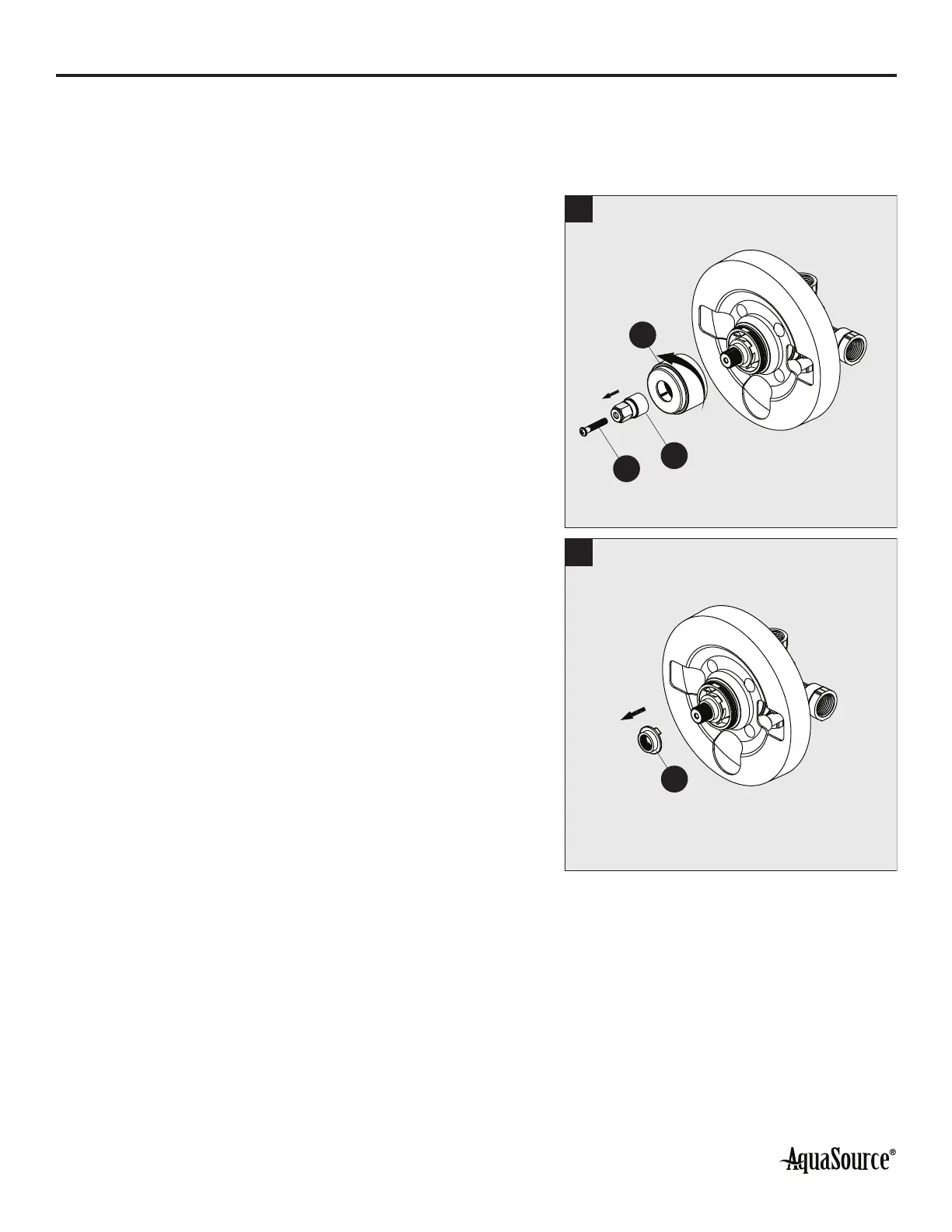
1. Unscrew the screw (N) using a Phillips screwdriver (not
included) and remove the inverter (K). Then unscrew
the sleeve (L).
1
N
K
L
2. Remove the red limit stop ring (Q).
2
Q


 To Next Page