Need help?
Do you have a question about the Aquatic AQ-IP-3B-X and is the answer not in the manual?
Describes the first step of installing the mounting sleeve into the DIN opening.
Details on sliding and tightening backing brackets during installation.
Describes securing the Media Center using hardware and the back strap.
Illustrates the wire insertion details for a specific view within the wiring diagram.
Table listing PIN NO., WIRE COLOR, and DESCRIPTION for remote connections.
Warning and instruction to cover the iPod connector with a rubber cover when not in use.
Step-by-step guide for installing an iPod into the device's built-in docking station.
Explains how to power the iPod connection on/off and its battery charging.
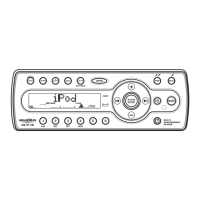
Describes selecting iPod mode and displaying song information on the unit's LCD.
Method to search for songs by playlist, artist, album, song, or genre.
Instructions for activating and disabling repeat play for single songs or all songs.
How to activate and disable shuffle play for songs or albums.
Table detailing system operations with short and long press functions on the control panel.
Table detailing tuner operations with short and long press functions on the control panel.
Table detailing iPod operations with short and long press functions on the control panel.
Table outlining system operations via the optional remote control.
Table outlining tuner operations via the optional remote control.
Table outlining iPod operations via the optional remote control.
How to open the control panel and turn the unit on/off.
Using the MUTE button and activating the iX-BASS function for audio.
How to select operating modes and adjust the audio volume level.
Using the DC +12V buttons for trigger outputs to external devices like relays.
Step-by-step guide on how to navigate and access the unit's menu system.
Detailed explanations of various menu options like Contrast, Dimmer, Low Battery Alarm.
Adjusting display brightness (Dimmer) and low battery warning settings.
Settings for tuner sensitivity to local or distant radio signals.
Selecting regional area, and enabling/disabling rear speakers and interamp.
Setting a default volume level and enabling/disabling audible beep tones.
How to activate/deactivate Dual Zone and select sources for front/rear zones.
How to control functions for front and rear zones, switching between them.
Details default settings and limitations when Dual Zone is active or inactive.
How to access and navigate the audio settings menu using buttons.
Adjusting the overall volume level and bass level from -6 to +6.
Selecting bass center frequency and adjusting bass quality factor (Q).
Adjusting midrange/treble levels, center frequencies, and quality factors.
Adjusting the sound balance between left/right and front/rear speakers.
Switching between FM/AM bands and using manual/auto seek tuning.
Storing, recalling, and scanning radio stations using preset buttons.
How the unit detects and displays stereo radio signals, reverting to mono if unavailable.
Information about optional wired and wireless remote controls for the unit.
Information regarding the AQ-IRR infrared remote control accessory.
Technical specifications for auxiliary inputs and FM/AM radio sections.
General technical specifications including operating voltage, fuse, and temperature.
Troubleshooting steps for when the unit has no power or no sound.
Solutions for unresponsive controls or radio function failures.
Actions to take for general errors or mechanism-related problems.
 General
| Brand | Aquatic |
|---|---|
| Model | AQ-IP-3B-X |
| Category | Car Receiver |
| Language | English |

 To Next Page