EasyManua.ls Logo

araknis 310 Series - User Manual

araknis 310 Series
20 pages
Print Icon
To Next Page IconTo Next Page
Loading...
310 SERIES LAYER 2 MANAGED NETWORK SWITCHES
Quick Start Guide
AN-310-SW-F/R-8
AN-310-SW-F/R-16
AN-310-SW-F/R-24
AN-310-SW-F-48
AN-310-SW-F/R-8-POE
AN-310-SW-F/R-16-POE
AN-310-SW-F/R-24-POE
Question and Answer IconNeed help?

Do you have a question about the araknis 310 Series and is the answer not in the manual?

Summary

FCC Warning

CE Warning

UL Statement

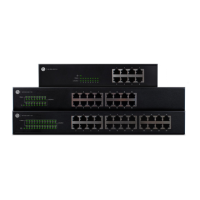
Series Overview

Step 1: Unbox

Step 2: Install

Rack Mount

Details the process for installing the switch into a network rack using the provided rack-mount ears and screws.

Wall Mount

Provides instructions and limitations for mounting the switch on a wall, specifying port orientation and specific model exclusions.

Shelf Mount

Describes how to place and secure the switch on a shelf or flat surface for installation.

Step 3: Connect

Step 4: PoE Budget

Step 5: Verify

Power LED

Explains the function of the Power LED, indicating whether the system is powered on or off.

1 Gbps LED

Describes the 1Gbps LED status, signifying a 1000Mbps connection speed versus 10/100Mbps.

Link;Act LED

Details the Link/Act LED behavior, indicating connection status and data packet activity through the port.

Step 6: Connect Device to OvrC Account

Step 7: Log into Web Interface

Other Access Methods: DHCP IP Address

Other Access Methods: Default IP Address

Other Access Methods: Default IP Address Contd

Other Access Methods: Default IP Address Contd

Pro Tip: Resetting the Switch

2-Year Limited Warranty

Contact Information

Summary

FCC Warning

CE Warning

UL Statement

Series Overview

Step 1: Unbox

Step 2: Install

Rack Mount

Details the process for installing the switch into a network rack using the provided rack-mount ears and screws.

Wall Mount

Provides instructions and limitations for mounting the switch on a wall, specifying port orientation and specific model exclusions.

Shelf Mount

Describes how to place and secure the switch on a shelf or flat surface for installation.

Step 3: Connect

Step 4: PoE Budget

Step 5: Verify

Power LED

Explains the function of the Power LED, indicating whether the system is powered on or off.

1 Gbps LED

Describes the 1Gbps LED status, signifying a 1000Mbps connection speed versus 10/100Mbps.

Link;Act LED

Details the Link/Act LED behavior, indicating connection status and data packet activity through the port.

Step 6: Connect Device to OvrC Account

Step 7: Log into Web Interface

Other Access Methods: DHCP IP Address

Other Access Methods: Default IP Address

Other Access Methods: Default IP Address Contd

Other Access Methods: Default IP Address Contd

Pro Tip: Resetting the Switch

2-Year Limited Warranty

Contact Information

araknis 310 Series Specifications

General IconGeneral
MAC Address Table Size8K
Quality of Service (QoS)Yes
IGMP SnoopingYes
Rack MountableYes
Operating Humidity10% to 90% non-condensing
Power SupplyInternal
Ports24 or 48
PoEYes
PoE Budget370W (24-port), 740W (48-port)
Switching Capacity104 Gbps
Jumbo Frame Support9KB
VLAN SupportYes
ManagementWeb, CLI, SNMP
Dimensions440 x 44 mm
Operating Temperature0°C to 40°C (32°F to 104°F)

Related product manuals