
 Need help?
Do you have a question about the araknis AN-110-RT-2L1W and is the answer not in the manual?
Warns against unauthorized modifications and outlines FCC compliance conditions.
Notes potential radio interference in domestic settings for CE certified products.
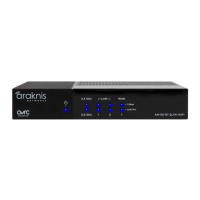
Lists key features such as compact design, gigabit ports, OvrC, and Wi-Fi capabilities.
Clarifies that illustrations use the Wi-Fi model but apply to all models.
Details the items included in the router package, such as the router, power supply, and mount kit.
Describes the two mounting methods: surface mount using rubber feet and wall mounting.
Provides a step-by-step guide to connect the router to the network and power supply.
Explains how to interpret the status LEDs (Power, 1Gbps, Link/Act) for operational checks.
Guides users on accessing the router's web interface using default credentials and IP address.
Instructs on using the Quick Setup wizard for system name, IP, WAN, and DHCP server configuration.
Details how to connect and use OvrC for remote device management, notifications, and customer support.
Provides instructions on how to perform a router reboot and a factory reset using the reset button.
Outlines the terms of the limited warranty covering parts and labor for defective components.
Lists the company website and technical support phone number and email address.
 General
| Model | AN-110-RT-2L1W |
|---|---|
| Category | Network Router |
| WAN Ports | 1 |
| LAN Ports | 2 |
| VPN Support | Yes |
| QoS | Yes |
| MU-MIMO | Yes |
| Beamforming | Yes |
| Frequency Bands | 2.4 GHz and 5 GHz |
| Security Protocols | WPA2 |
| Wireless Standard | 802.11ac Wave 2 |
| Maximum Wireless Speed | 1200 Mbps (300 Mbps on 2.4 GHz, 867 Mbps on 5 GHz) |

 To Next Page
