EasyManua.ls Logo

araknis AN-300-RT-4L2W - User Manual

araknis AN-300-RT-4L2W
12 pages
Print Icon
To Next Page IconTo Next Page
Loading...
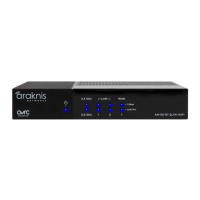
DUAL WAN GIGABIT VPN ROUTER
Quick Start Guide
AN-300-RT-4L2W
Question and Answer IconNeed help?

Do you have a question about the araknis AN-300-RT-4L2W and is the answer not in the manual?

Summary

Install Router

Rack Mount Installation

Illustrates how to install the router in a rack using the provided kit.

Wall Mount Installation

Shows the procedure for mounting the router on a wall.

Shelf Mount Installation

Depicts the method for placing the router on a shelf.

Verify Router Status

Power LED Status

Indicates system status: ON for system up, OFF for system down.

DMZ LED Status

Shows DMZ configuration: ON for WAN2 as DMZ, OFF for disabled.

Diagnostic LED Status

Displays system self-test status: ON for running, Blinking for error, OFF for completed.

1 Gbps LED Status

Indicates port speed: ON for 1000Mbps, OFF for 10/100Mbps.

Link;Act LED Status

Shows device connection and activity: ON for connected, Blinking for traffic, OFF for not connected.

Resetting the Router

Basic Reset Procedure

Press reset for 10 seconds for a basic reset; router reboots without changing settings.

Factory Reset Procedure

Press reset for 20 seconds for a factory reset; all settings revert to default.

Summary

Install Router

Rack Mount Installation

Illustrates how to install the router in a rack using the provided kit.

Wall Mount Installation

Shows the procedure for mounting the router on a wall.

Shelf Mount Installation

Depicts the method for placing the router on a shelf.

Verify Router Status

Power LED Status

Indicates system status: ON for system up, OFF for system down.

DMZ LED Status

Shows DMZ configuration: ON for WAN2 as DMZ, OFF for disabled.

Diagnostic LED Status

Displays system self-test status: ON for running, Blinking for error, OFF for completed.

1 Gbps LED Status

Indicates port speed: ON for 1000Mbps, OFF for 10/100Mbps.

Link;Act LED Status

Shows device connection and activity: ON for connected, Blinking for traffic, OFF for not connected.

Resetting the Router

Basic Reset Procedure

Press reset for 10 seconds for a basic reset; router reboots without changing settings.

Factory Reset Procedure

Press reset for 20 seconds for a factory reset; all settings revert to default.

araknis AN-300-RT-4L2W Specifications

General IconGeneral
Brandaraknis
ModelAN-300-RT-4L2W
CategoryNetwork Router
LanguageEnglish

Related product manuals