Aranet2 monitor is an innovative wireless device for eortless monitoring of indoor air temperature and
relative humidity. The device can be used at home, in school, oce, or any other indoor environment.
Download the Aranet Home app and connect via Bluetooth. The app allows you to configure the Aranet2
device and access the data monitored by the device. Read a detailed description of all the possibilities
that the app oers in the chapter How to pair Aranet2 to my smart device using the Aranet Home app on
page 3.
Additionally, up to 100 Aranet2 PRO devices can be connected to the Aranet PRO base station. Refer to
the chapter Using Aranet2 device with the Aranet PRO base station on page 4.
There are two Aranet2 models – Aranet2 HOME and Aranet2 PRO. You can find out more about how they
dier in this informative leaflet.
Measurement and data transmission* intervals are 1,2,5, or 10 minutes. The default measurement
interval is set to 5 minutes.
The amount of the stored historic measurement data depends on the measurement interval of the device:
The data that is older than the possible storage period will be automatically overwritten in the device
memory with the newly measured data.
* For Aranet2 PRO paired to Aranet PRO base station.
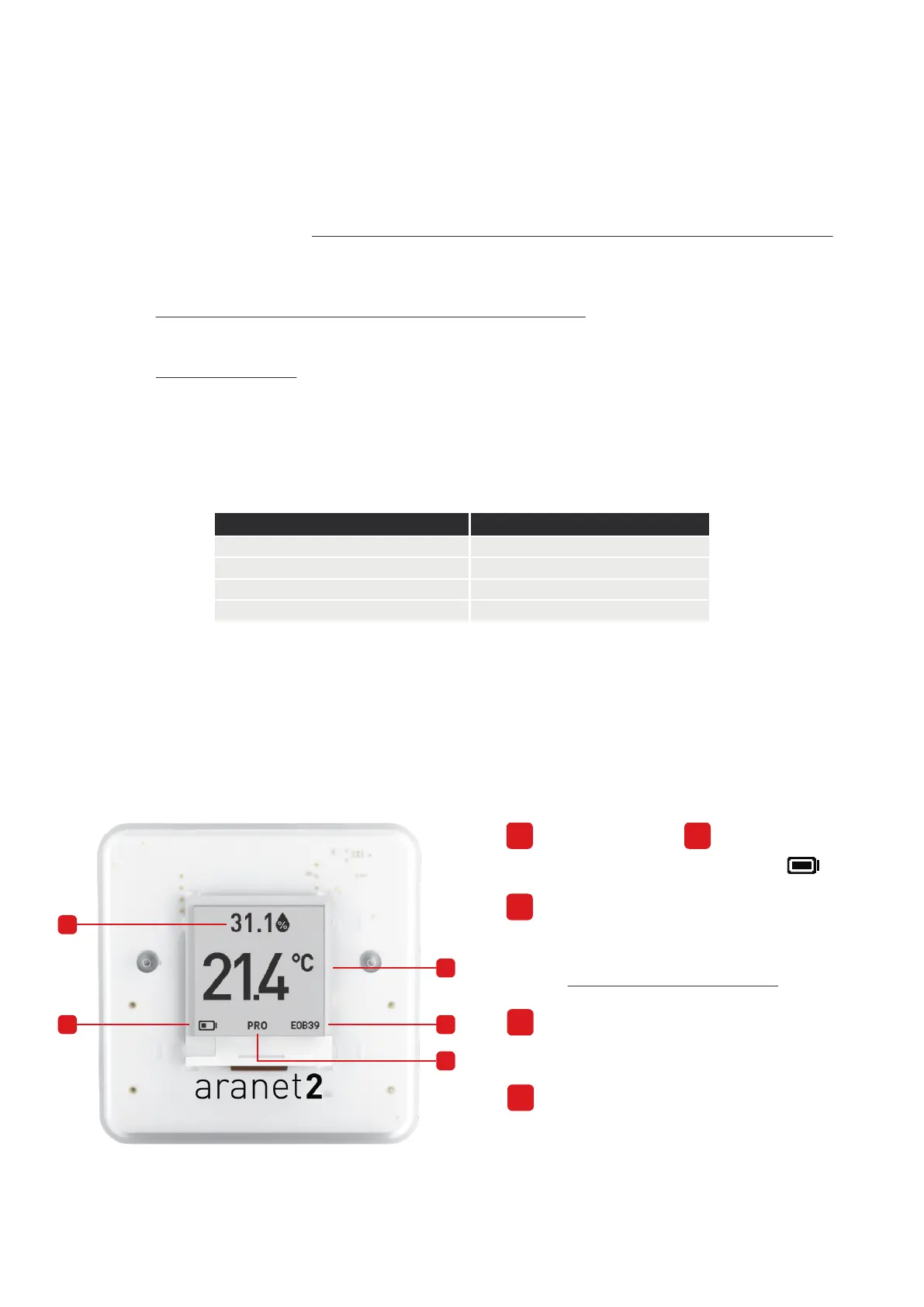
About the Aranet2 monitor
1
Temperature of the air in Celsius or Fahrenheit.
To change the temperature units, refer to the
chapter Switch positions explained on page 2.
Unique device ID
Indicator of PRO device version.
The Aranet2 sensor screen explained
1
2
3
4
5
3
4
5
Battery level.
2
Relative humidity (%)
1
Measurement interval, minutes Historic data availability, days
1
2
8
16
5
10
40
80



 To Next Page
 Loading...


