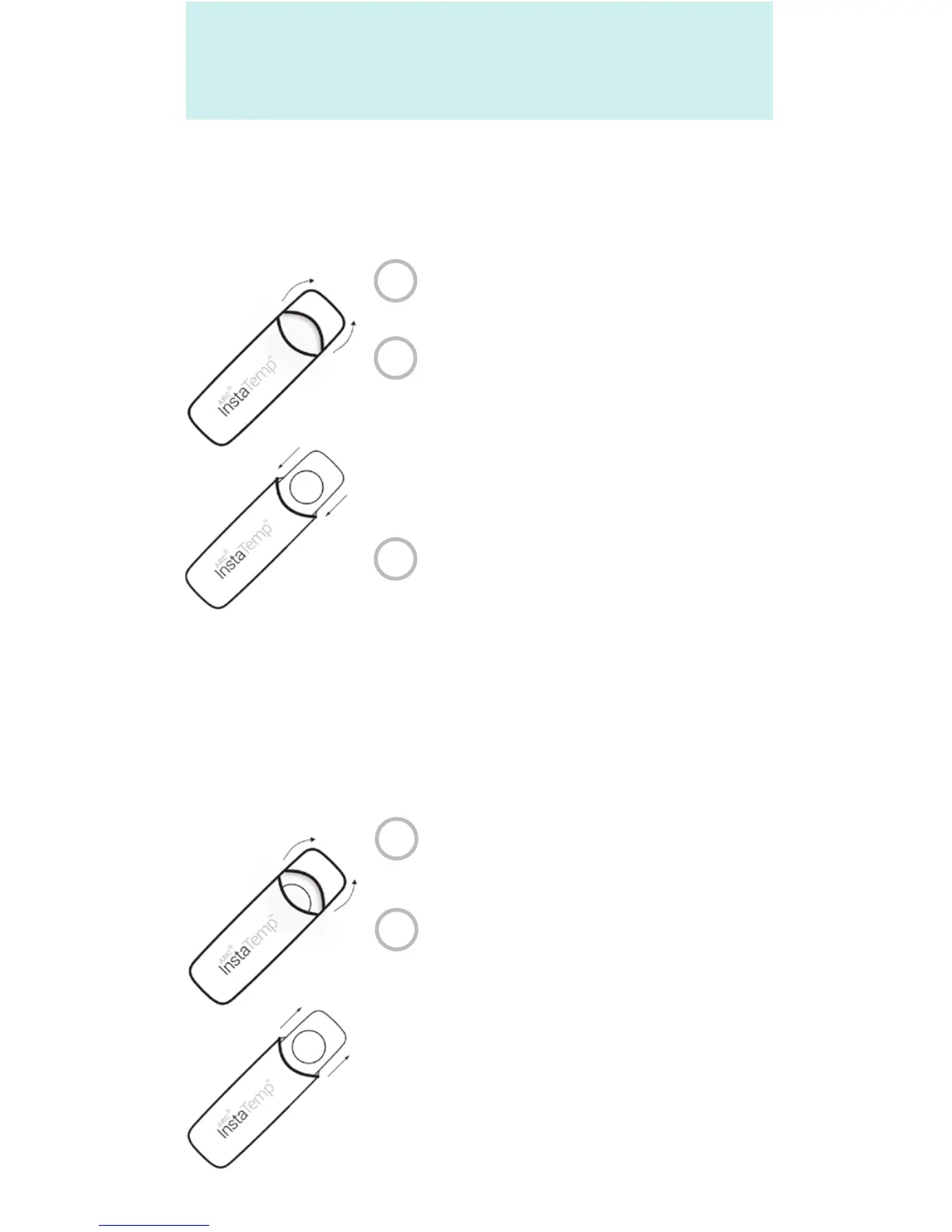
Pull the hood of the case back.
Remove the device by holding
it on its sides, and slide it into
the case, such that the LCD
screen is slightly visible.
Do not touch the sensor.
Cover with the hood and store
in a dry place.
Pull the hood of the neoprene
case back.
Grab the ARC InstaTemp™
on its sides and pull out of
the case.
To insert the ARC InstaTemp™ into the
neoprene carrying case.
To remove the ARC InstaTemp™ from the
neoprene carrying case.
GETTING TO KNOW
Carrying and Storage (If accessory is included)
1
1
2
3
2


 To Next Page