Need help?
Do you have a question about the Arcadia LumenIZE LEDBAR and is the answer not in the manual?
Provides guidance on using Lumenize products and their associated mobile application for lighting control.
Details on connecting multiple units with cables and a visual overview of lamp installation.
Step-by-step guide to operating the Lumenize mobile application for lighting management.
Comprehensive safety warnings, physical/electrical installation, and troubleshooting steps.
The Arcadia LumenIZE is an app-controlled lighting system designed for vivariums and aviaries, offering advanced features for reptile, amphibian, invertebrate, and plant keeping. The system integrates zoological and environmentology principles to replicate wild-like environments, providing automated dawn-till-dusk cycles and wild-like circadian rhythms.
The LumenIZE system comprises two main product lines: the LEDBAR (Smart LED Bar) and PROT5 (Smart UVB Kit). Both are controlled via the LumenIZE app, available on the App Store and Google Play, which connects to the devices via Bluetooth. The app allows users to program custom lighting schedules, including dimming cycles, to simulate natural light patterns. Unlike traditional timers, the LumenIZE app provides true dimming, not stepped output, ensuring a fluid transition between light levels. The internal clock in each device has a battery backup (CR1220, 3V, Ø12 x 2.0mm) to maintain programmed schedules even during power outages, and it should be refreshed monthly by connecting to the app.
The app allows for the creation of bespoke daily functions, which can be copied and pasted to other linked lamps. Users can set multiple time slots with varying light outputs (from 0% to 100%) to create complex and naturalistic sunrise/sunset patterns. For T5 lamps, a "safe start" mechanism is programmed into the fitting to protect the lamp, reduce rolling, and ensure a long lamp and kit life. It is advised that T5 lamps operate at a minimum of 20% output when programmed for dimming. The system also includes a "full power test" button for troubleshooting and refreshing lamps, and a "My devices" button to scan for LumenIZE devices.
The LumenIZE PROT5 Smart UVB Kits are available in various wattages and lengths, offering different UV-B percentages, UV-A percentages, and Kelvin temperatures.
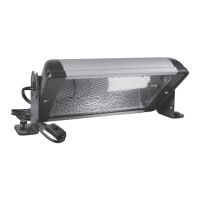
The LumenIZE LEDBAR Smart LED Bars are also available in various wattages and lengths, providing different lumen outputs and Kelvin temperatures.
Both product lines are IP65 water resistant, meaning they are protected from usual humidity, condensation, and dust. They are Class II Luminaires (double insulated) and operate on 220-240V 50Hz. The products are designed for indoor use only and for the illumination of Vivariums and Aviaries. They are RoHS compliant.
The LumenIZE app is central to the system's operation. Users can download the app by scanning a QR code or searching in app stores. Upon installation, the app requires Bluetooth to be enabled. Once connected, the app automatically displays detected LumenIZE lamps by wattage and type. Users can rename lamps and add up to 50 lamps to a single app. The app offers two pre-set "Light cycles" or allows for up to five custom settings. Each lamp can have its own programmed cycle, which is stored internally within the lamp.
Linking cables (1.2m) are available in three types: RARLLC1 (ProT5 to ProT5), RARLLC2 (LEDBAR to LEDBAR), and RARLLC3 (ProT5 to LEDBAR). These cables allow multiple LumenIZE branded fittings to be linked together in a chain. However, LumenIZE fittings cannot be mixed with non-LumenIZE ProT5/JungleDawn-LED Bar products. Each lamp in a linked chain retains its individual programming, as control is internal to each device.
The system is designed for energy efficiency; tests show that using the LumenIZE app with a 9-hour cycle and 4 hours of full 100% output can save approximately 30% of electricity compared to non-dimming lamps over the same period.
For T5 lamp installation, users must remove lamp locks and rubber lamp-holders, plug the T5 lamp in, and then re-secure the lamp holders and locking clips. It is crucial not to force the pins and ensure they are properly lined up. The internal battery (CR1220) has an average life of 2-3 years and can be replaced. To do this, disconnect power, gently lift the plastic cover with a flat tool, carefully remove the unit, replace the battery, and firmly replace the cover, ensuring the seal is in place. For cleaning, disconnect the power supply and allow the luminaire to cool. A damp cloth is sufficient to clean the body. In case of a lost password for an individual kit, a manual reset process can be performed: turn the lamp on, then switch off for 3 seconds, on for 1 second, off for 3 seconds, on for 1 second, off for 3 seconds. Repeating this pattern three times will restore factory settings. If lamps are linked, removing linking cables before resetting is necessary to avoid resetting all lamps in the chain. The product is covered by European Directive 2012/19/EU for end-of-use recycling. All components, including the power supply and lamp holder, should be disposed of in electronic waste recycling areas. Fluorescent lamps (ProT5) contain mercury and must be deposited in fluorescent lamp recycling areas or approved recycling points. The manual emphasizes safety precautions, including not placing heat lamps directly over or very close to the LumenIZE lamps, ensuring adequate airflow, and avoiding direct powerful spraying or submerging the IP65-rated fittings. It also warns against direct exposure of skin to UV-producing lamps when switched on. Troubleshooting steps include checking power connections, fuses, voltage compatibility, lamp wattage/type/length, correct lamp installation, and app programming or override slider settings if the luminaire does not light up.
 General
| Brand | Arcadia |
|---|---|
| Model | LumenIZE LEDBAR |
| Category | Lighting Equipment |
| Language | English |


 To Next Page