by pressing this button:
1 indicator is on under lift TIG argon arc welding;
2 “SYN”indicator is on under electrode diameter selection
mode;
3 indicator is on under MMA mode.
12 , Electrode Selection: When“SYN” indicator is on,
electrode diameter can be selected by pressing this button.
13 , Function Mode: It is MMA functions selecting button.
When indicator is on, MMA functions can be set:
①,Function Mode button is pressed once to adjust welding
current by rotating current knob with indicator“A” blinking.
Welding current setting is finished with “A”off after 3S.
②,Function Mode button is pressed twice to adjust arc-force
current by rotating current knob with indicator blinking.
Arc-force current setting is finished with arc-force indicator off
after 3S.
③,Function Mode button is pressed three times to adjust hot
start current by rotating current knob with indicator
blinking. Hot start current setting is finished with hot start
indicator off after 3S.
14. +output terminal: Connected to electrode holder.
15. -output terminal: Connected to earth clamp.
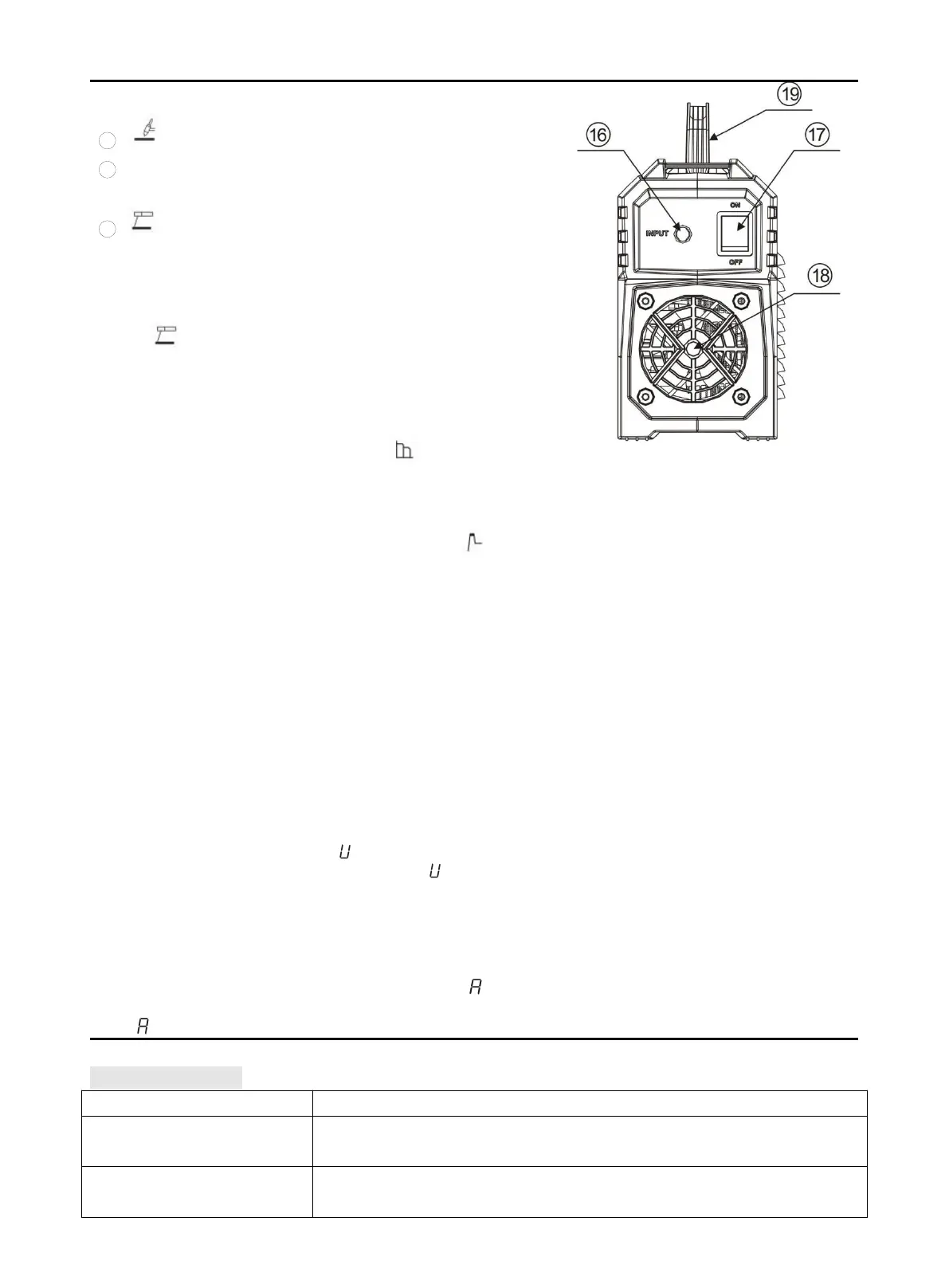
16. Power cord
17. Power switch: Control power.
18.Cooling fan
19.Handle
Combination key for switching VRD on and off:
Welding Mode and Electrode Selection buttons are pressed
simultaneously to switch on or off MMA VRD. Under MMA,
VRD is not available by default, but it is available when
welding Mode and Electrode Selection buttons are pressed
simultaneously for 3S with -1 display. And VRD is
unavailable if press them for 3S again with -0 display.
Combination key for switching anti-stick on and off:
Electrode Selection and Function Mode are pressed
simultaneously to switch on or off MMA anti-stick. Under
MMA, anti-stick function is available by default, but it is
unavailable when Electrode Selection and Function Mode
buttons are pressed simultaneously for 3S with -0display.
And anti-stick function is available if press them for 3S again
with -1display.



 To Next Page