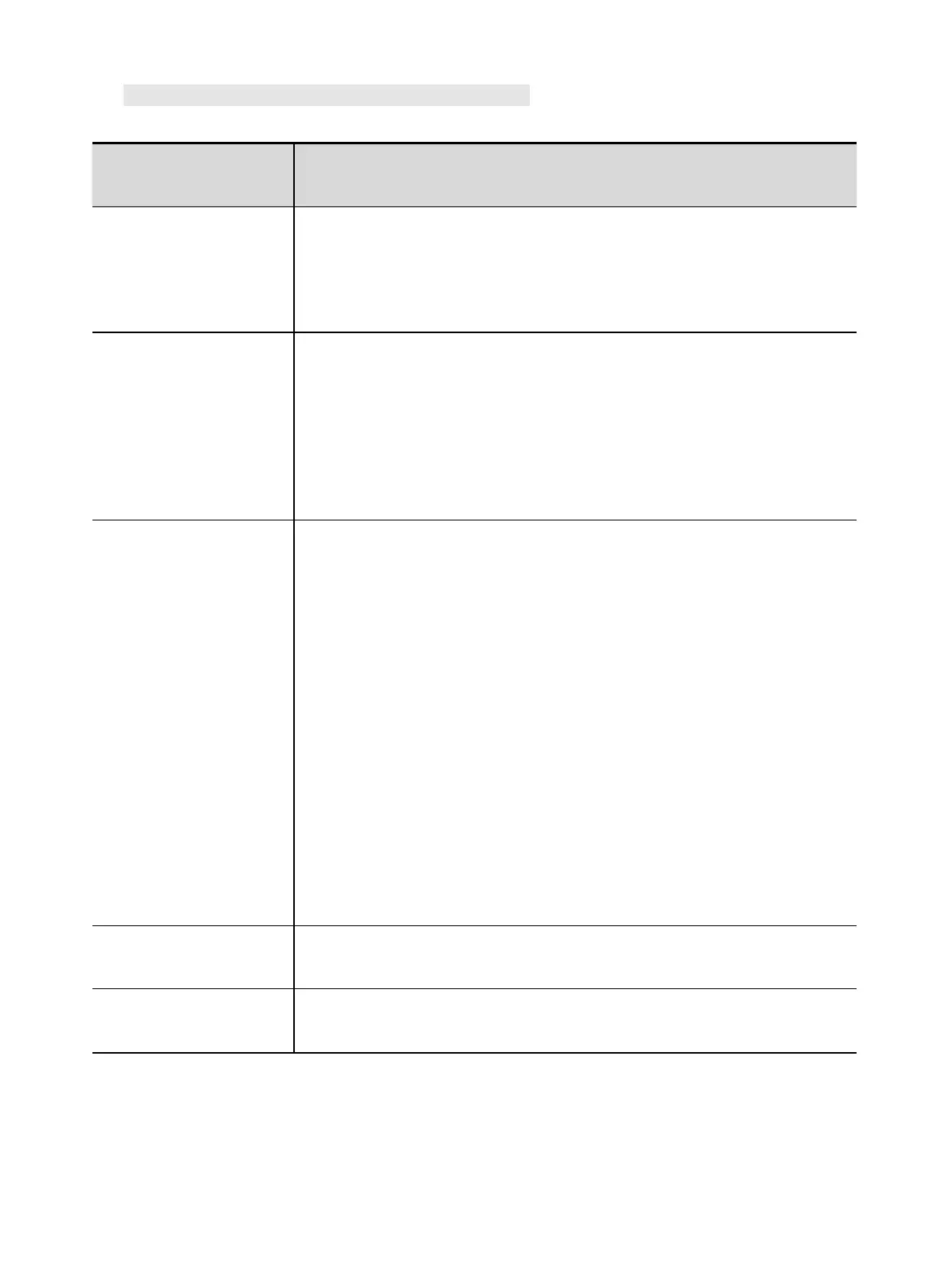
1) Common Malfunction Analysis and Solution:
Turn on the machine, the
power indicator is off, the
fan doesn't work, and no
welding output.
1) Check if the power switch is closed.
2) Make sure there is power for input cable.
Turn on the machine, the
fan works, but the output
current is unstable and
can't be controlled by
potentiometer when
welding.
1) The current potentiometer fails. Replace it.
2) Check if any loose contact exists inside the machine, especially
connector, etc. If any, check.
Turn on the machine, the
power indicator is on, the
fan works, but no
welding output.
1) Check if any poor contact exists inside the machine.
2) Open circuit or poor contact occurs at the joint of output terminal.
3) The abnormity indicator is on.
A. The machine is under over-heating protection status due to long
time operation. For this situation, it is unnecessary to unplug the
power plug so that cooling fan can continue to cool down the
welder. Welding can be continued after indicator is off;
B. Check if the thermal switch is ok. Replace it if damaged.
C. Check if the thermal switch connection is under good contact.
D. It is possible for welder to be under over-current protection status
if indicator is on for a long time. For this situation, please do not
restart the machine, but contact local agent for professional
assistance.
The electrode holder
becomes very hot.
The rated current of the electrode holder is lower than its actual working
current. Replace it with a bigger rated current.
Excessive spatter in
MMA welding.
The output polarity connection is incorrect. Exchange the polarity.



 To Next Page