10
The Android
TM
Interface
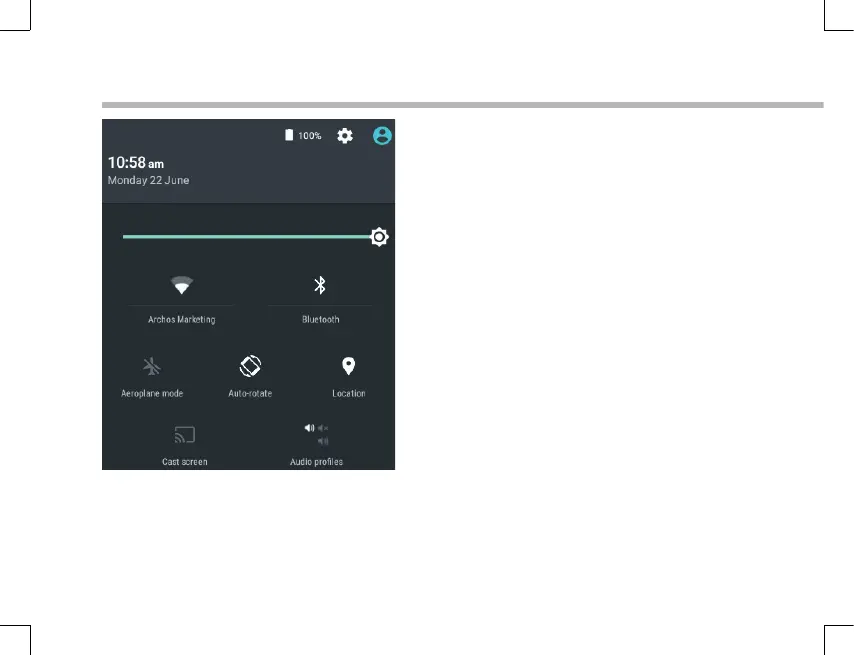
The Quick settings
1 Percentage of battery remaining
2 To access all your settings.
3 Current user
*
4 To adjust the screen brightness.
5 To turn on/o your WiFi connection.
6 To turn on/o your Bluetooth connection.
7 To activate/deactivate all wireless
connections, especially when ying.
8 To activate/deactivate automatic screen
orientation as you turn your ARCHOS.
9 Location services
10 To mirror your Android device to the TV so
you can enjoy your great content exactly
as you see it on your mobile device.
11 To select a notication type
*
New multi-user support for tablets lets
different users have their own separate,
customizable spaces on a single device.
Add users in Settings > Device.













 To Next Page