7
WiFi connection
WARNING: Make sure that you are in a WiFi zone. You can access the WiFi settings
quickly from the status bar.
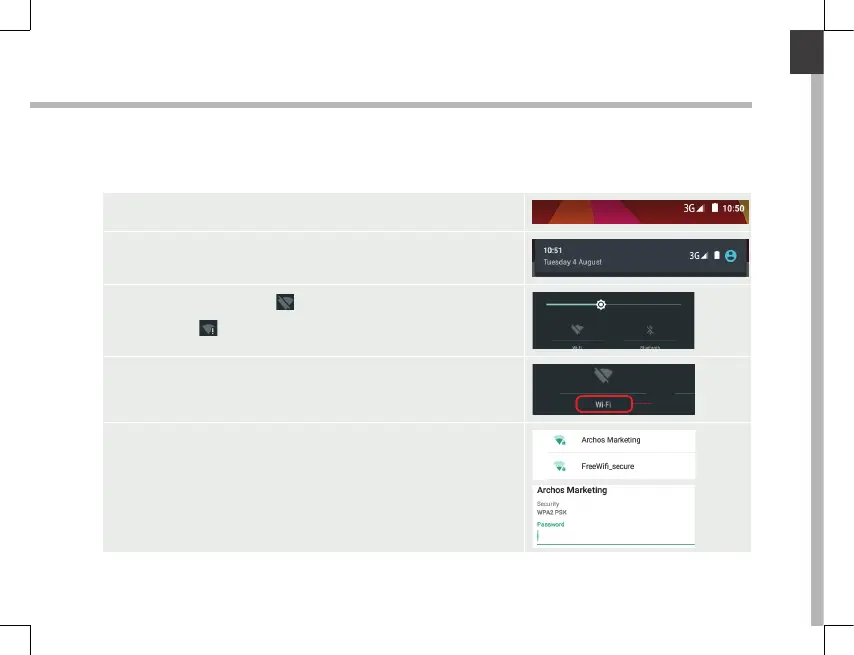
1. Touch and pull down the status bar to display it.
2. Touch again the bar to reveal the quick settings.
3. Select the WiFi icon to activate the WiFi
connection
.
4. Select “WiFi” below the WiFi icon.
5. Touch the name of network you want to connect to.
Private networks are shown with a lock icon and will
require you to enter your password.













 To Next Page