5
ENGLISH
Recording with your Archos Helmet CamCorder
Your Archos Helmet CamCorder will be powered through your ARCHOS device, so be sure to charge it
fully when intending to make longer recordings.
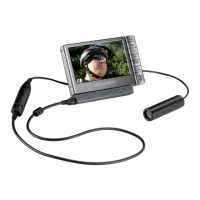
You can clip the controller of your Archos Helmet CamCorder for example onto your shirt pocket. The
camera itself is typically fi tted into the headband and worn so that you record what you see.
The next two sections explain the two options for making a recording:
using the camera controller
using the camera controller, or
using the CamCorder application of your ARCHOS device
using the CamCorder application of your ARCHOS device, which lets you set a number of parameters.
Making a Recording Using the Camera Controller
To start recording:
Press the
Start/Stop
button on your camera controller. The red and green lights will momentarily go
on, and on the screen of your ARCHOS device, you will see a message indicating that a video signal is
detected. The image transmitted from the camera will then be displayed and the recording will start.
To stop recording:
Press the
Start/Stop
button on the camera controller again. This time, only the green light will display.
This indicates that the recording has stopped. The ARCHOS device will now save your video fi le and
take you to the folder where the video is saved.
Note: pressing the
Start/Stop
button on the controller also works while the buttons of your ARCHOS
device are locked. You can thus conveniently make a recording while carrying your ARCHOS device in
a backpack, for example.
•
•
•
•
•
MAKING RECORDINGS
x04_HelmetCam_Manual_v2_PN1049835 5x04_HelmetCam_Manual_v2_PN1049835 5 19/09/2006 14:05:5919/09/2006 14:05:59


 To Next Page
 Loading...