5
1
2
5
ENGLISH
CONNECTING TO A 3G NETWORK
YourARCHOSdeviceisequippedwitha3Gstickslotonitsback.IttsonlywiththeArchosG93Gstick.Youcaninstantaneously
connect to a 3G network quickly and easily. And you can connect to the web in just a few seconds.
For this procedure to work, you
need to be in a 3G zone.
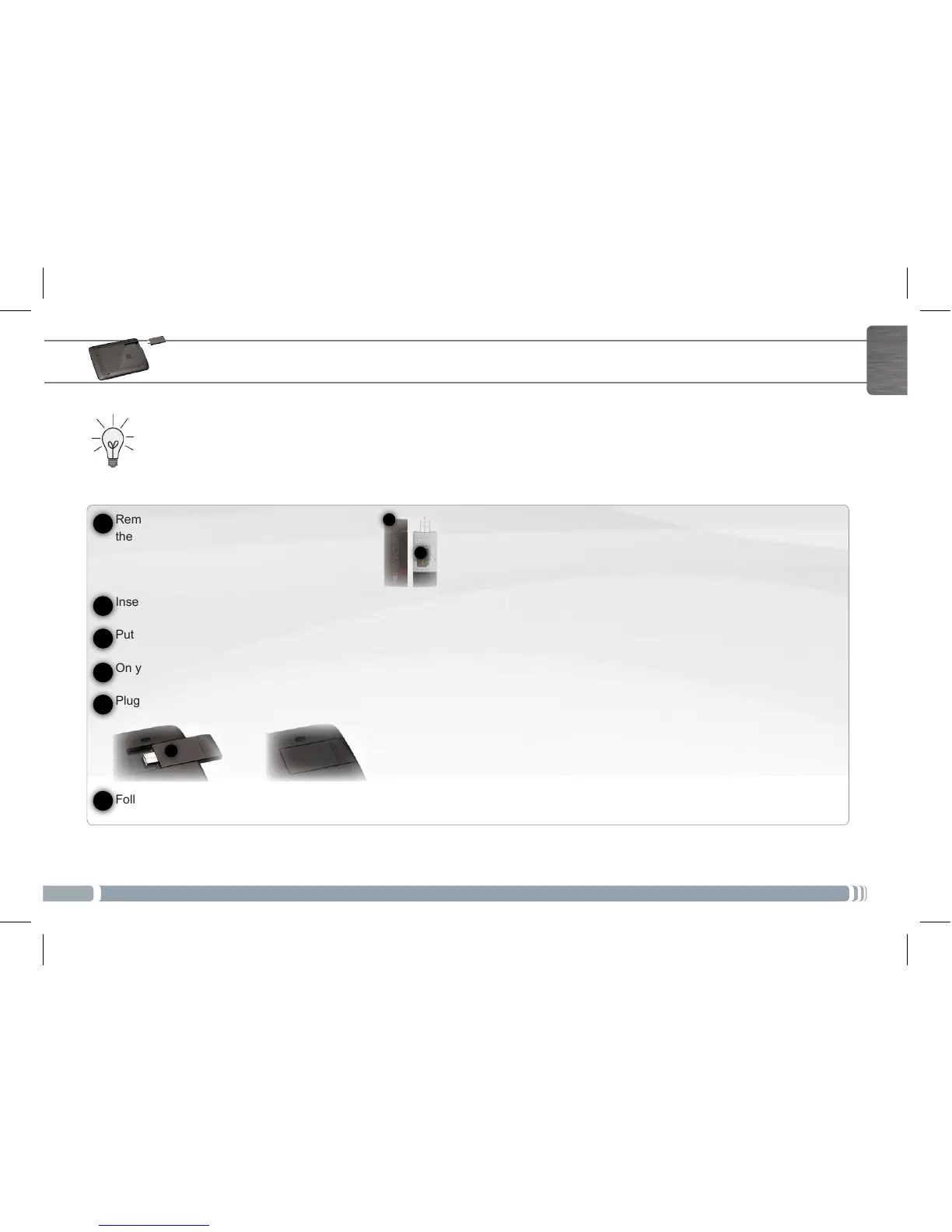
Remove the Archos G9 3G stick cap, and push
the unmarked side of the case towards the plug.
Insert the sim card into its slot. Make sure to insert it properly.
Put back the case.
On your ARCHOS device, remove the protective cover of the 3G stick slot.
Plug the Archos G9 3G stick. The device is automatically detected.
Follow the on-screen instructions.
1
2
4
5
6
3
NOTE: The Archos G9 3G stick is purchasable on www.archos.com or from your local retailer.
UserGuide_Archos80 G9_book.indd 5 17/06/2011 12:57:20



 To Next Page