Need help?
Do you have a question about the Archos G9 Series and is the answer not in the manual?
Download the original firmware file (firmware_archos_it4.aos) needed for the reinitialization process.
Follow specific button presses and USB connections to access the device's recovery menu.
Use the recovery menu to format system and reformat the device by transferring the firmware file.
The ARCHOS 80 G9 is a tablet device that can be reinitialized to address various software issues, including freezing, failure to turn on, or general software malfunctions. This reinitialization process performs a low-level format, which will erase all data on the device, making it unrecoverable. Therefore, users are strongly advised to back up their data before proceeding. It is also crucial that the device's battery is sufficiently charged to complete the operation without interruption.
The primary function of the ARCHOS 80 G9, as indicated by the manual, is to provide a portable computing experience, likely for media consumption, web browsing, and app usage. The reinitialization guide focuses on restoring the device to a factory-like state, effectively resolving software-related problems that might hinder its normal operation. This process involves downloading a specific firmware file, entering a recovery mode, formatting the system, and then transferring the firmware to the device.
firmware_archos_it4.aos) suggests a custom Android-based or similar embedded operating system. The "G9 Series" branding further implies a specific generation of ARCHOS tablets.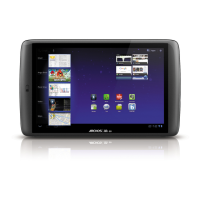

 To Next Page
 General