Need help?
Do you have a question about the Arctic King F3 and is the answer not in the manual?
Explains the meaning of warning and caution symbols used in the manual.
Crucial advice to prevent electric shock and fire hazards during operation.
Guidelines for safe unit placement, handling, and avoiding hazards.
Precautions regarding ventilation, water exposure, and chemical environments.
Safety tips for cleaning, filter use, and unit stability.
Unit must be properly grounded via three-prong plug and outlet for safety.
Guidance on using or avoiding extension cords and adapters.
Explains the function of indicator lights on the control panel.
Describes the operation of the Power, Continuous, and Humidity Set buttons.
Details fan speed selection and display information, including error codes.
Explains Bucket Full, Auto Shut Off, Auto Defrost, and Auto Restart functions.
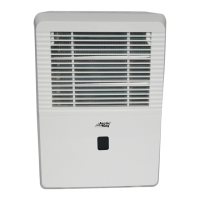
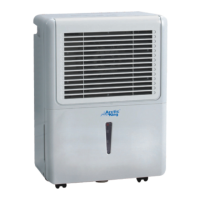
Identifies components visible on the front of the dehumidifier.
Identifies rear components and lists included accessories.
Guidelines for optimal placement and airflow for effective dehumidification.
Caution regarding moving the unit with casters, especially with water.
Steps for starting the unit and connecting it to a suitable power outlet.
Instructions for emptying the water bucket or using continuous drainage.
Step-by-step guide to remove and empty the water collection bucket.
How to connect a drain hose for automatic water removal from the unit.
Procedures for cleaning the dehumidifier's case and water bucket.
Instructions for cleaning and replacing the air filter for optimal performance.
Steps for preparing the unit for extended periods of non-use.
Checks for power, bucket status, and proper placement if the unit won't start.
Diagnoses issues related to airflow obstruction, incorrect settings, or room conditions.
Addresses common issues like loud operation, frost, and water on the floor.
Explains how to interpret error codes displayed on the unit.
Explains the duration and scope of the product's warranty coverage.
Outlines user duties for warranty validity and conditions that void coverage.
Provides contact information for warranty service and customer support.
 General
| Brand | Arctic King |
|---|---|
| Model | F3 |
| Category | Dehumidifier |
| Language | English |


 To Next Page