10
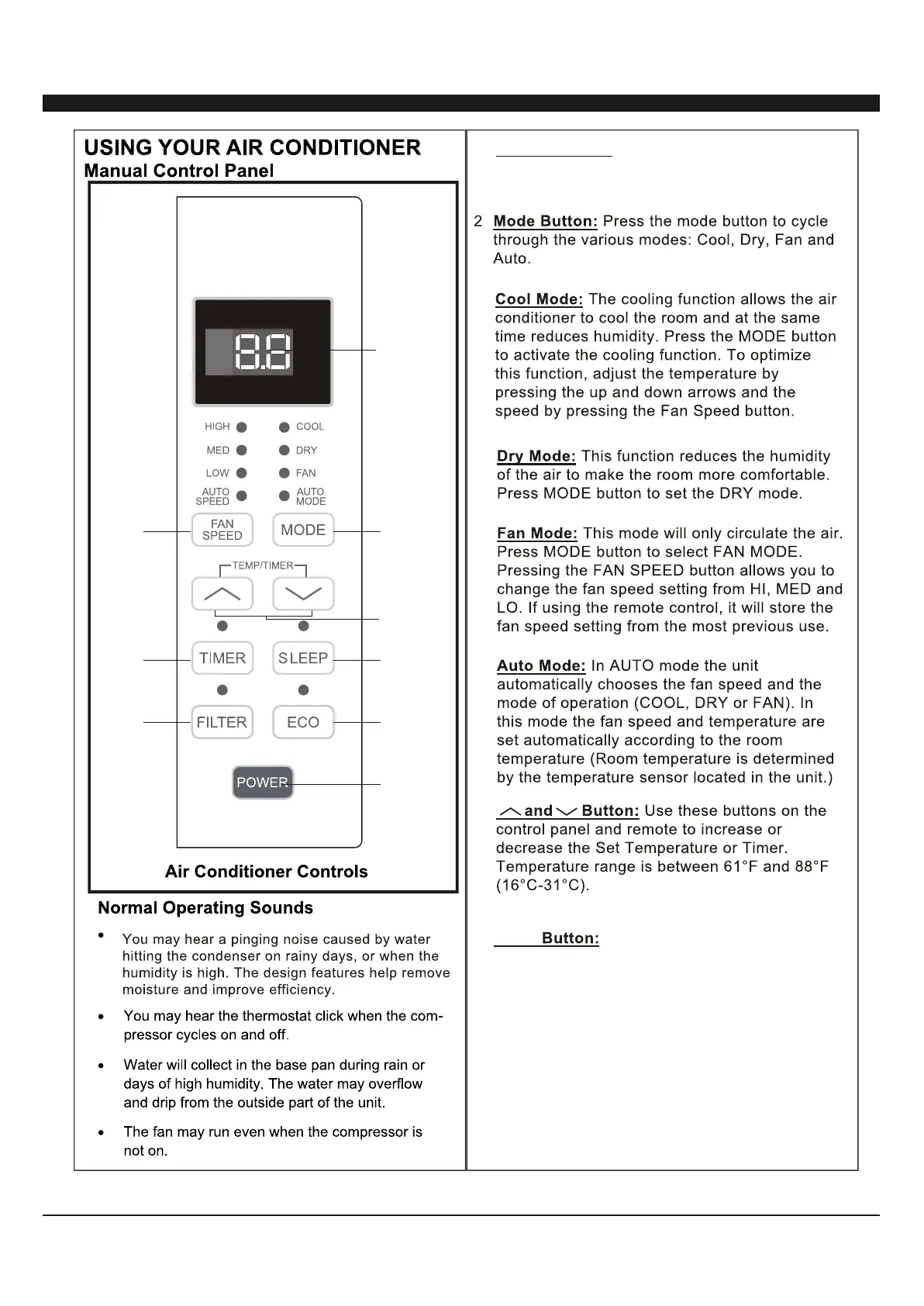
1. Shows the set temperature.
Operation modes are: Cool, Dry, Fan, and Auto.
Time is displayed using the timer setting.
Digital Display:
3
6
1
2
4
5
9
8
7
.
3.
4.
Sleep Press the SLEEP button, all of the
display lights will turn off after a while, but the
sleep light is always on. In the mode, the air
conditioner will automatically adjust the
temperature and fan speed to make the room
more comfortable during the night. The set
temperature will automatically change every
30-60 minutes and at most change six times until
O
the set temperature is 81 or 82 .F


 To Next Page
 Loading...