1
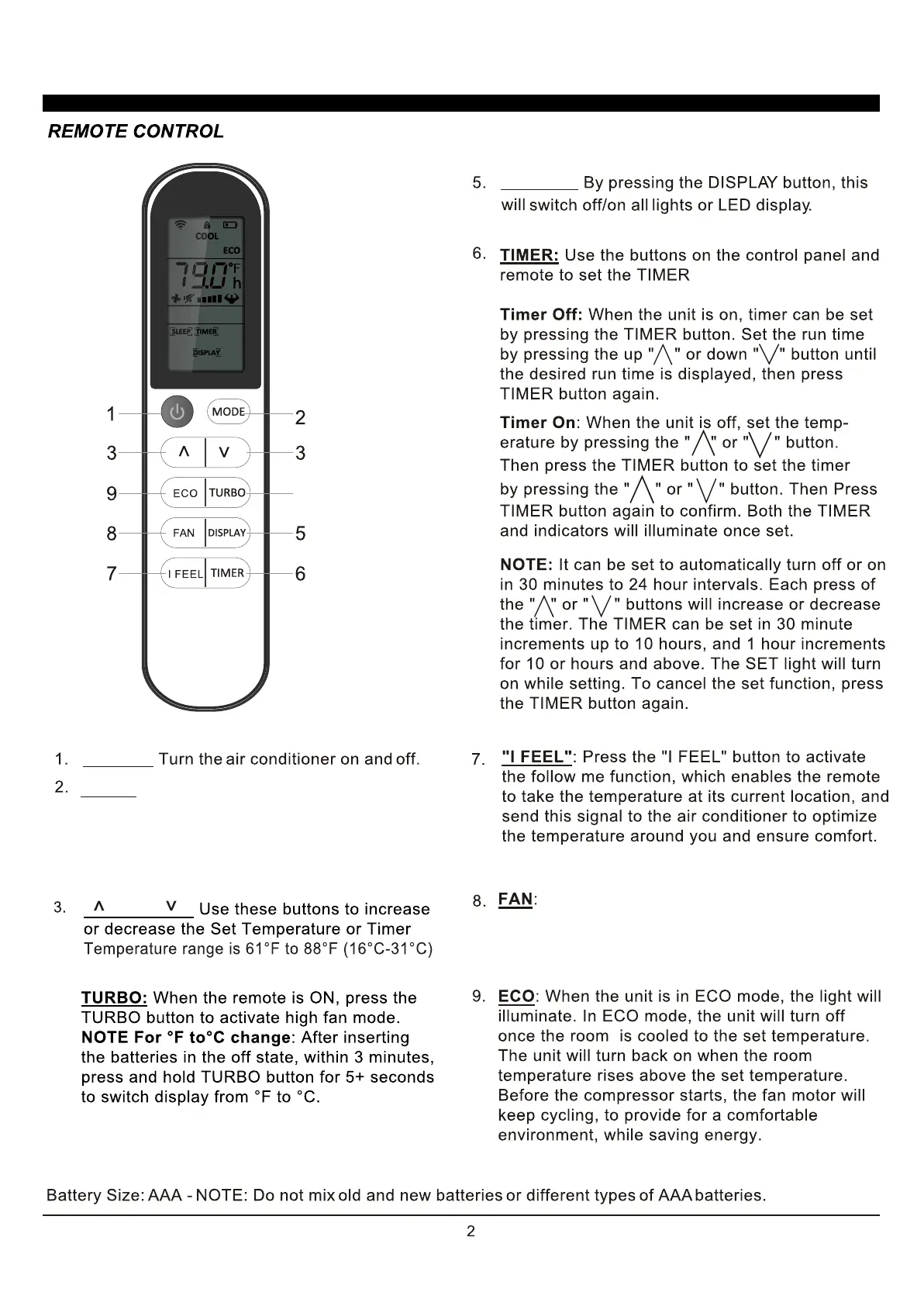
DISPLAY:
POWER:
4
MODE:
" " and " ":
.
4.
USING YOUR REMOTE CONTROL
Press the button to select the mode of
operation, AUTO, COOL, DRY, FAN and HEAT
Note: The HEAT mode is inactive for COOL ONLY
models. Press and hold the MODE button for more
than 5 seconds to delete or add the HEAT mode on
remote.
Press the "FAN" speed button to select the fan
options. You can choose HI, MED, LO or AUTO in COOL
MODE or HEAT MODE, and HI, MED, LO in FAN MODE.


 To Next Page