6
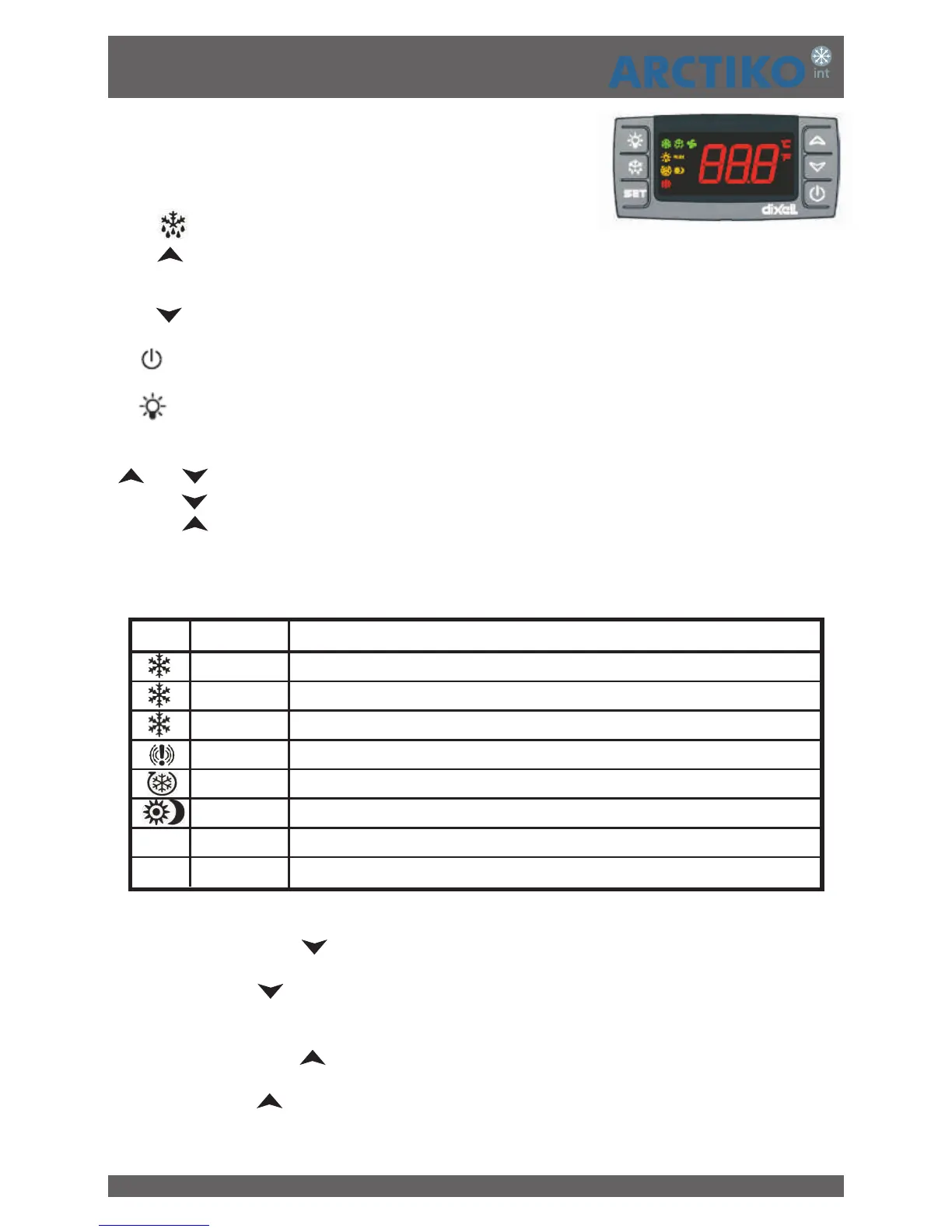
CONTROL PANEL (Dixell XR30CX Controller)
SET: To display target set point; in programming mode it
selects a parameter or confirm an operation.
(DEF): To start a manual defrost
(UP): To see the max. stored temperature; in programming
mode it browses the parameter codes or increases the displayed value.
(DOWN): To see the min stored temperature; in programming mode it browses the parameter codes or
decreases the displayed value.
To switch the instrument off, if onF = oFF.
NOT USED
KEY COMBINATIONS:
+ To lock & unlock the keyboard.
SET + To enter in programming mode.
SET + To return to the room temperature display.
USE OF LEDS
Each LED function is described in the following table
1. Press and release the key.
2. The “Lo” message will be displayed followed by the minimum temperature recorded.
3. By pressing the key again or by waiting 5s the normal display will be restored.
1. Press and release the key.
2. The “Hi” message will be displayed followed by the maximum temperature recorded.
3. By pressing the key again or by waiting 5s the normal display will be restored.
HOW TO SEE THE MIN TEMPERATURE
HOW TO SEE THE MAX TEMPERATURE
Figure 1
LED MODE FUNCTION
ON Compressor enabled
Flashing Anti-short cycle delay enabled
ON Defrost enabled
ON An alarm is occurring
ON Continuous cycle is running
ON Energy saving enabled
°C/°F ON Measurement unit
°C/°F Flashing Programming phase


 To Next Page